
Store Operating Schedule helps you manage when your store is open or closed, so customers can place orders at the right time.
This schedule ensures that customers can only select available dates and times when placing an order, based on your store’s availability.
Store Operating Hours
Store Operating Hours define your store’s regular opening days and hours.
Use this setting to tell customers when your store is available to process orders, prepare items, and handle deliveries.
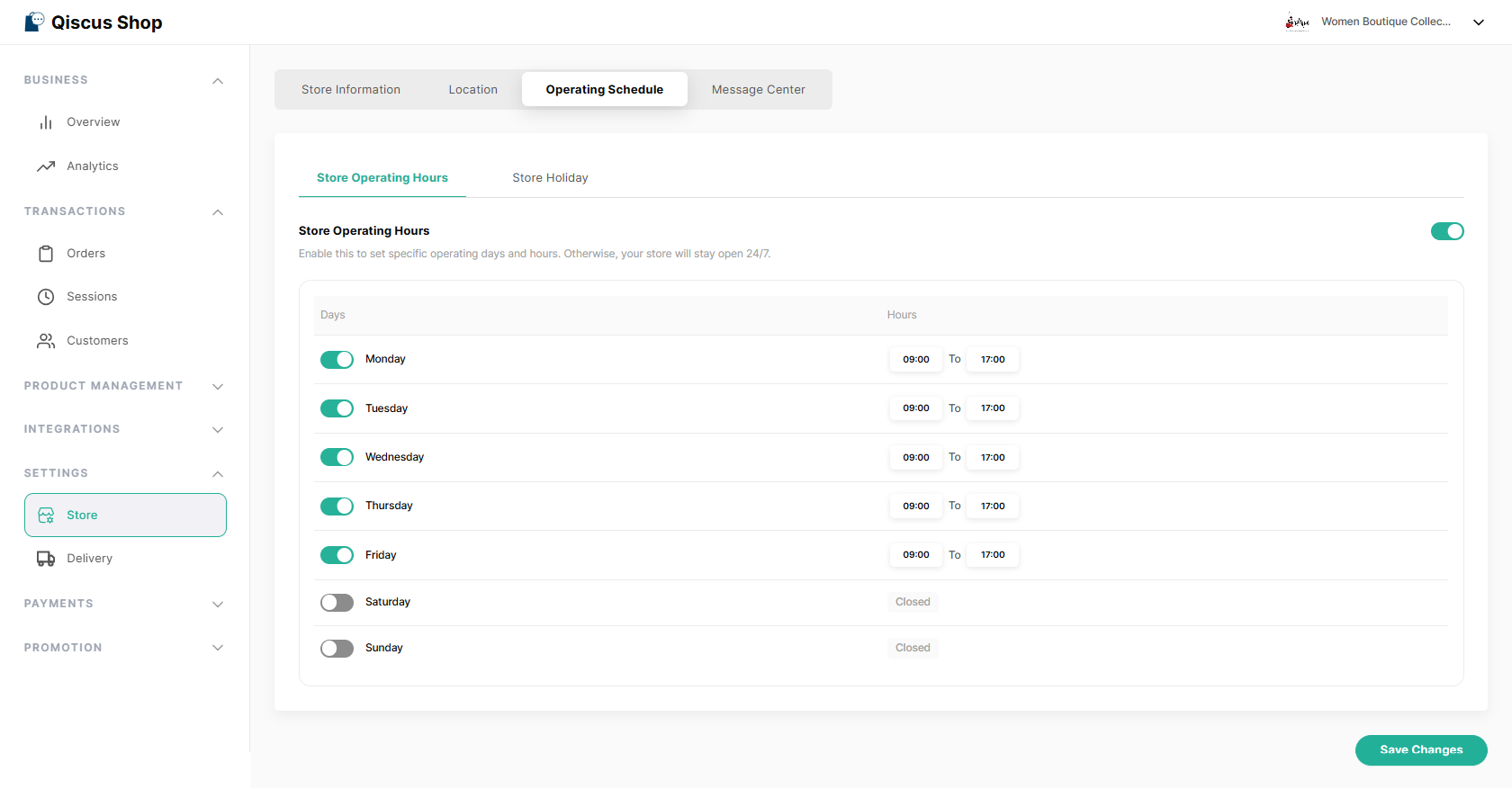
What You Can Set
Select which days your store is open
Set opening and closing hours for each open day
Mark days when your store is closed
You only need to set your actual working hours. The system will automatically use this information for delivery options.
How This Affects Customers
Customers will only see delivery options during your store’s operating hours
Closed days will not appear as selectable dates
Available time options will feel clearer and more realistic for customers
Changes to operating hours apply to new orders only
Orders that have already been created will not be affected
Store Holidays
Store Holidays allow you to mark specific dates when your store is closed, even if your store is usually open on those days.
This is helpful for national holidays, store closures, or special occasions.
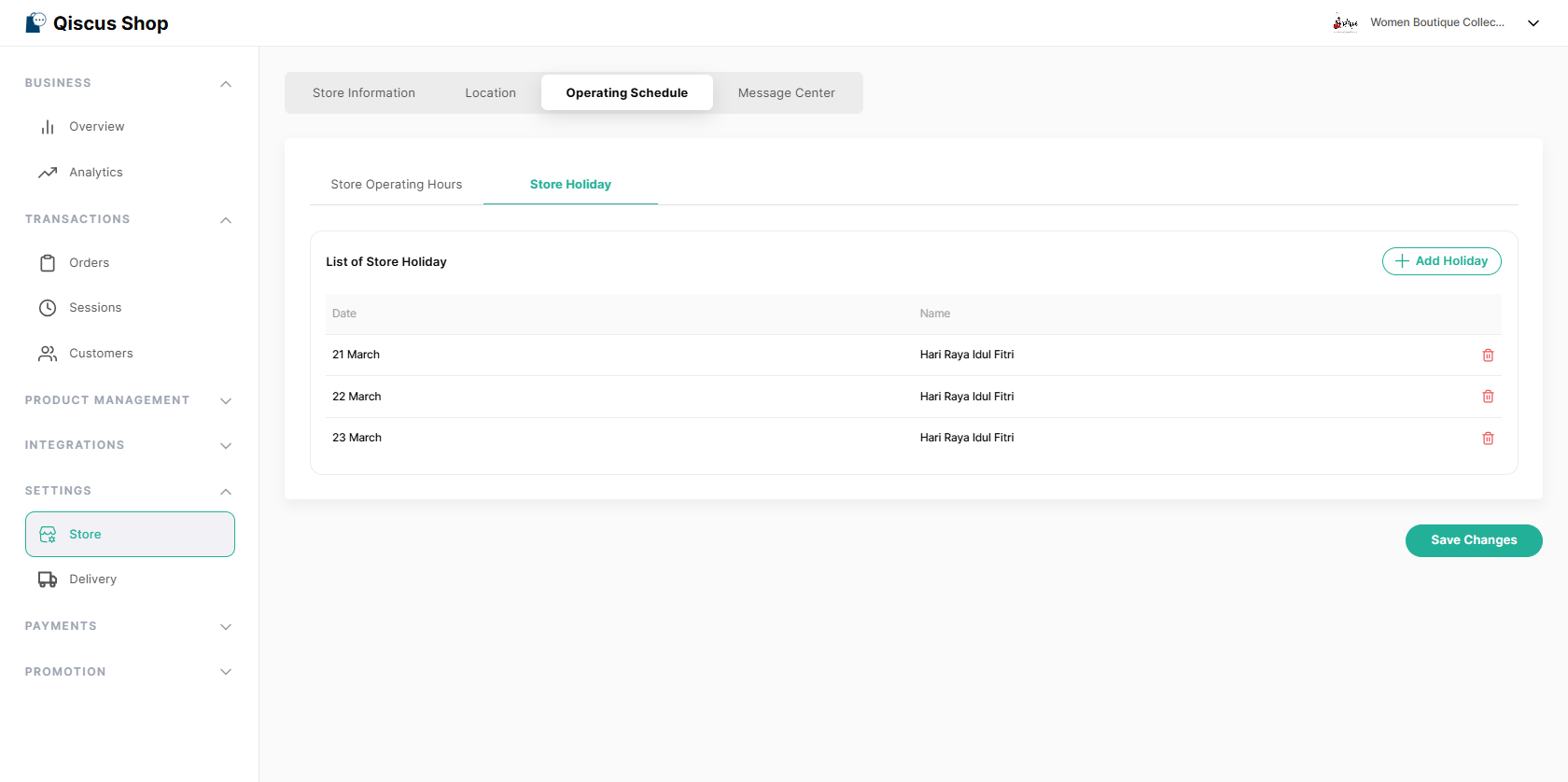
What Happens When You Add a Holiday
Your store will be considered closed on that date
Customers will not be able to choose that date for delivery
You can add:
A single holiday
A range of holiday dates
Existing Orders Remain Unchanged
If there are already orders scheduled on a date that you later mark as a holiday:
Those orders will not be canceled
They must still be fulfilled as planned
Holidays only prevent new orders from being created on those dates.
Key Takeaways
Store Operating Schedule defines when your store is open or closed
It ensures customers can only choose valid delivery times
Changes only affect future orders, not existing ones