
Midtrans is a payment gateway that lets you accept payments through virtual accounts, retail outlets, e-wallets, paylaters, and credit cards. Qiscus Shop connects to your existing Midtrans account, so there is no need to open an account with another provider.
Prerequisites & Setup
Before you begin, make sure you have an active Midtrans account. You will need its Merchant ID, Client Key, and Server Key, found in the Midtrans Dashboard under Settings → Access Key.
Connect Midtrans to your store
Open the Qiscus Shop Dashboard.
Click on 'Payment Gateway' under the Payment menu group.
Click 'Add Payment Gateway'.
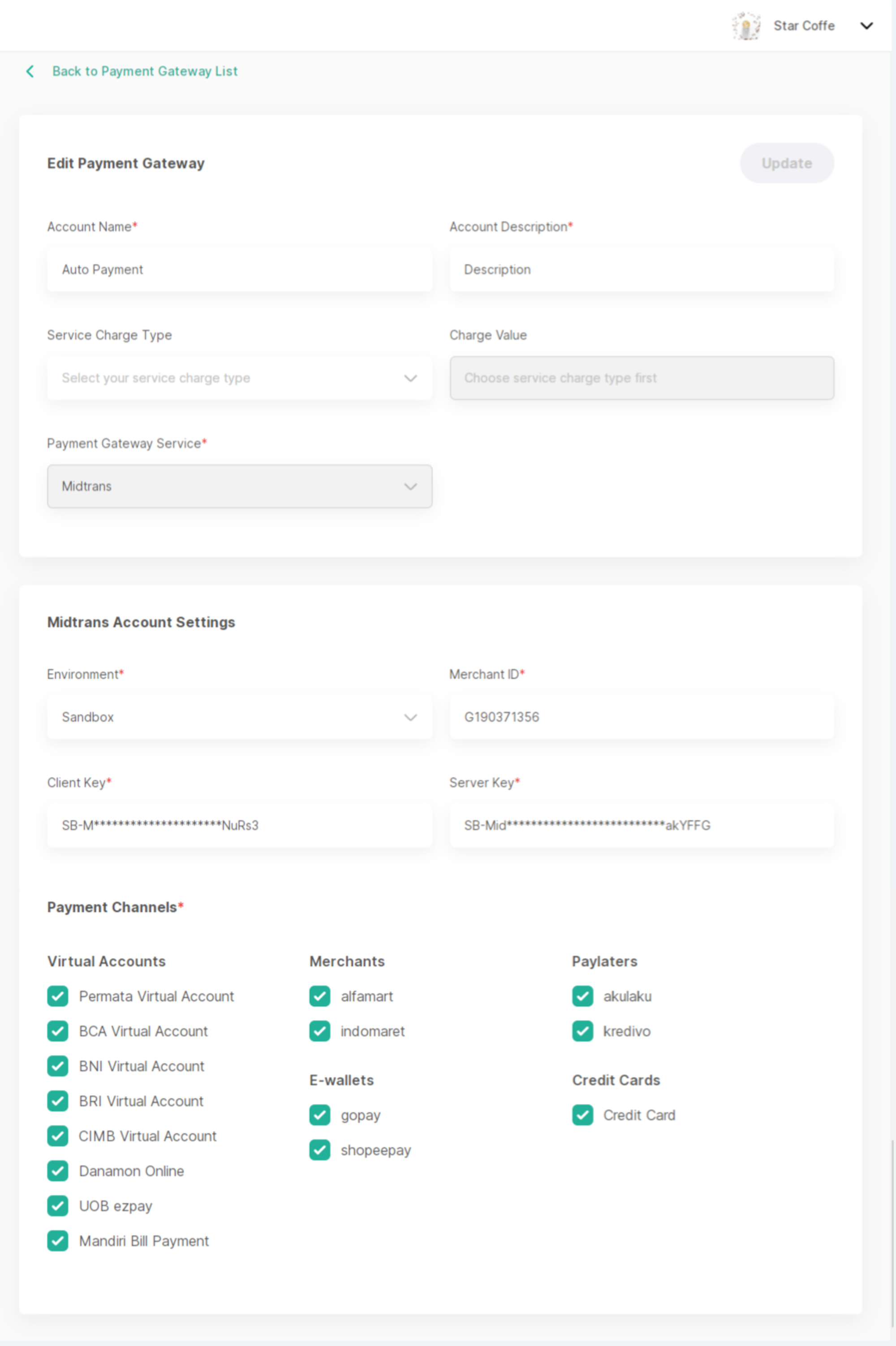
Enter the following details:
Account Name.
Account Descriptions
Choose the Service Charge Type: (1) percentage or (2) fixed. If you don't want to charge a service fee to the customer, you can leave this section empty.
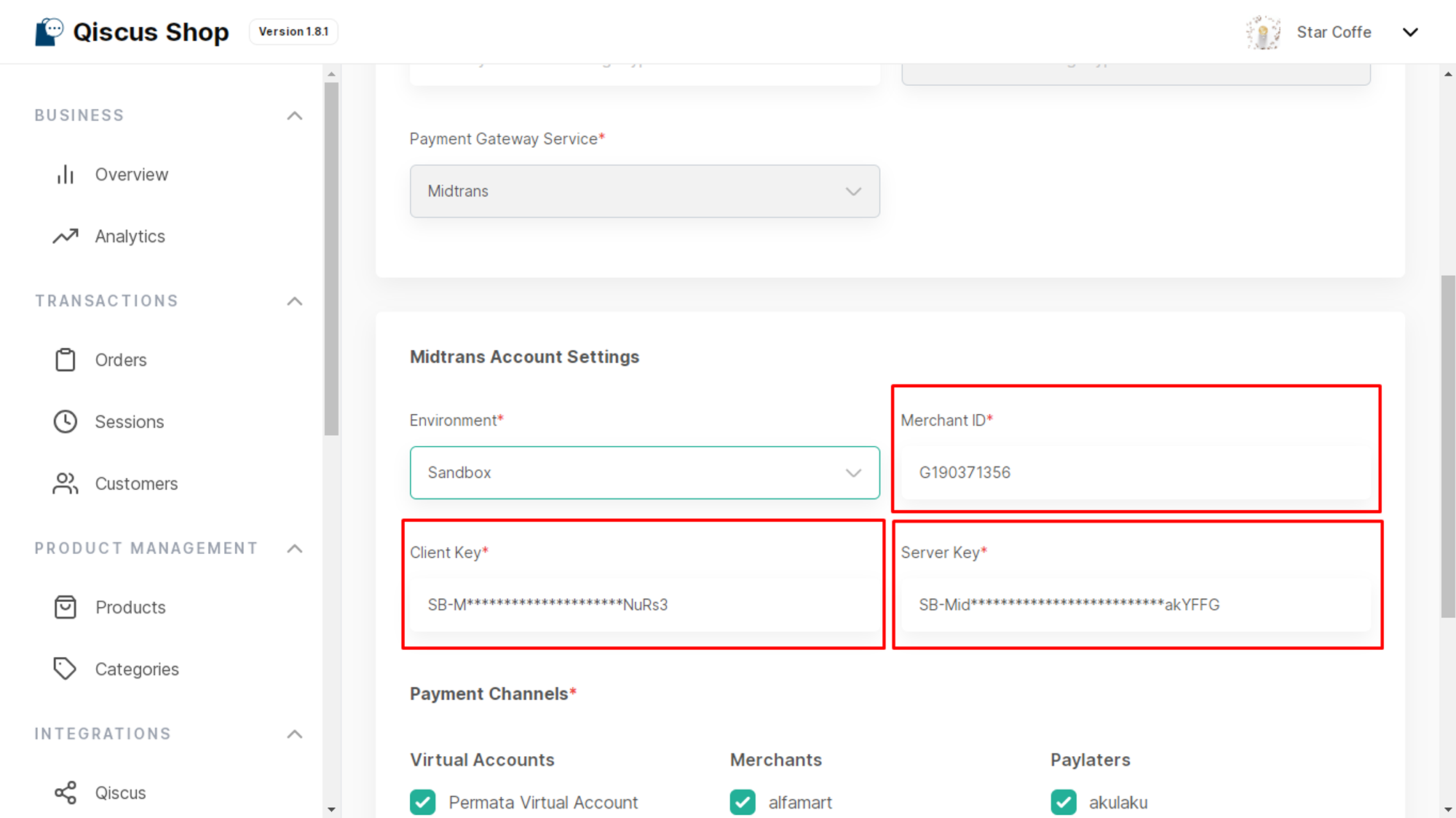
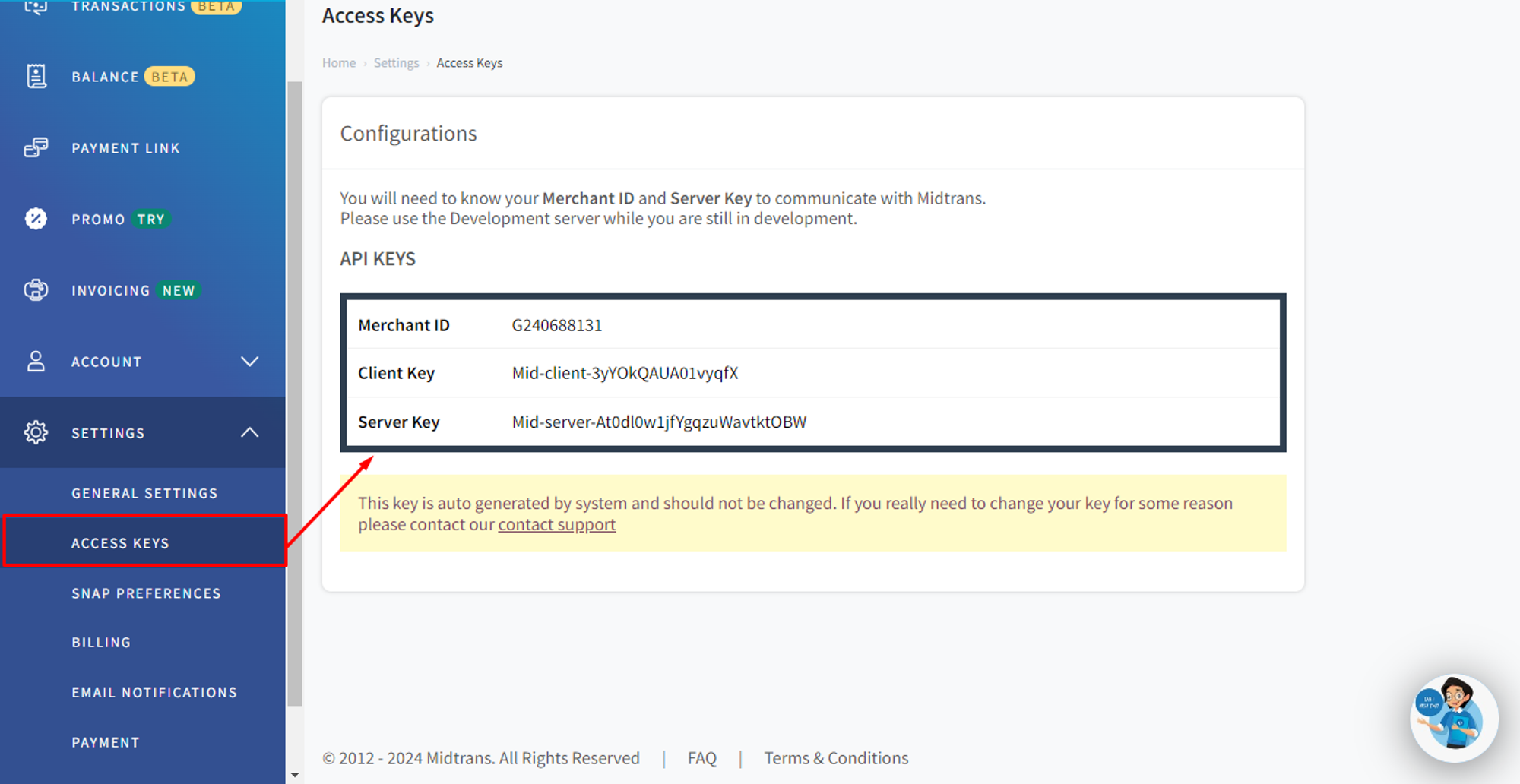
Select 'Payment Gateway Service: Midtrans' The detailed information required can be obtained from the Midtrans Dashboard under the 'Settings' > 'Access Key,' which includes:
Environment: (1) Production, (2) Staging
Merchant ID, Client Key & Server Key, to
Payment Channels, including
Virtual account (e.g., UOB ezpay, Mandiri Bill Payment, Permata Virtual Account, BCA Virtual Account, BNI Virtual Account, BRI Virtual Account, CIMB Virtual Account, Danamon Online).
Merchants (e.g., Alfamart, Indomaret).
E-Wallets (e.g., Gopay, Shopeepay).
PayLaters (e.g., Akulaku, Kredivo).
Credit Cards.
Then, click Save.
Looking for a different provider? See Payments for the full list.