
Privacy Notice lets you tell customers that the details they're about to type are protected, and point them to your own privacy policy. It appears on the page where customers fill in their delivery information.
Turning it on
Open Store Settings, then Store Information.
Find the Legal & Compliance section.
Switch Privacy Notice on. Two fields appear: Notice Text and Privacy Policy Link.
Fill both in, then click Save changes.
Both fields are required while the toggle is on. Turning it back off hides them and keeps what you typed, so you don't have to fill them in again if you switch it on later.
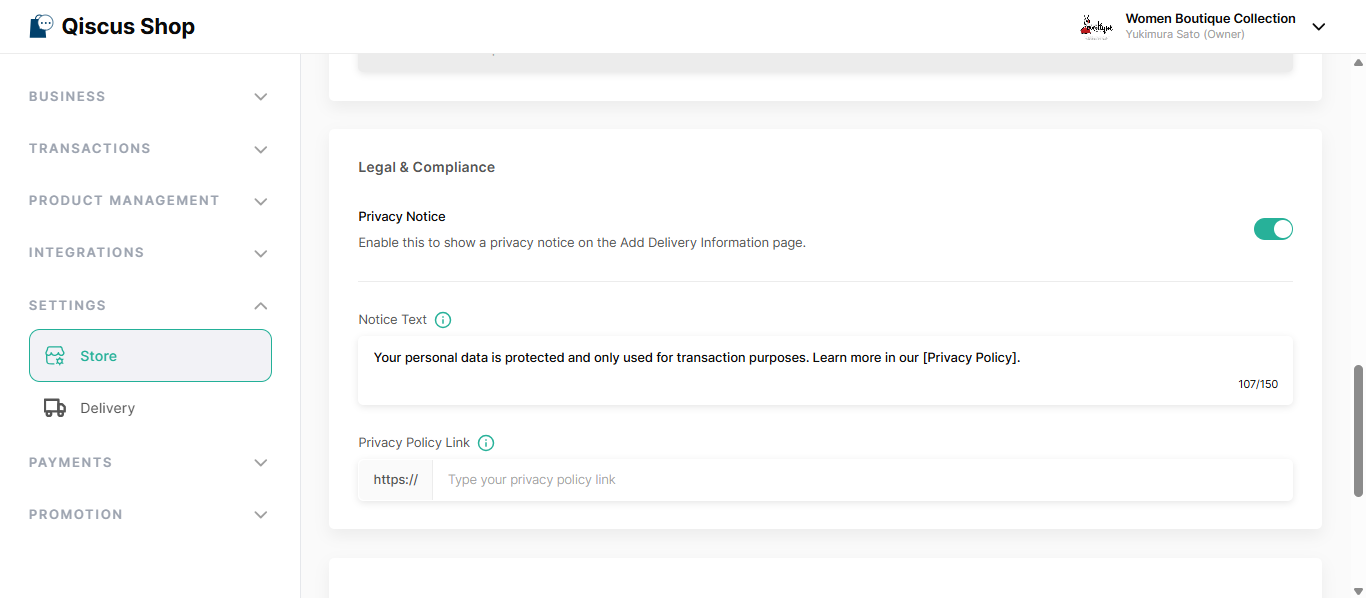
Notice Text
This is the message customers read. It arrives already filled in with:
Your personal data is protected and only used for transaction purposes. Learn more in our [Privacy Policy].
You can rewrite it however you like, including in your customers' own language. Two rules:
Up to 150 characters, counting spaces and brackets.
Exactly one pair of square brackets. Whatever sits inside them becomes the link to your privacy policy, and the brackets themselves aren't shown to customers.
You can put the brackets anywhere in the sentence — beginning, middle, or end.
Privacy Policy Link
This is your own privacy policy. Qiscus doesn't provide one. Any page that opens publicly, without a login, works: your own website, a public Notion page, or a shared document.
What customers see
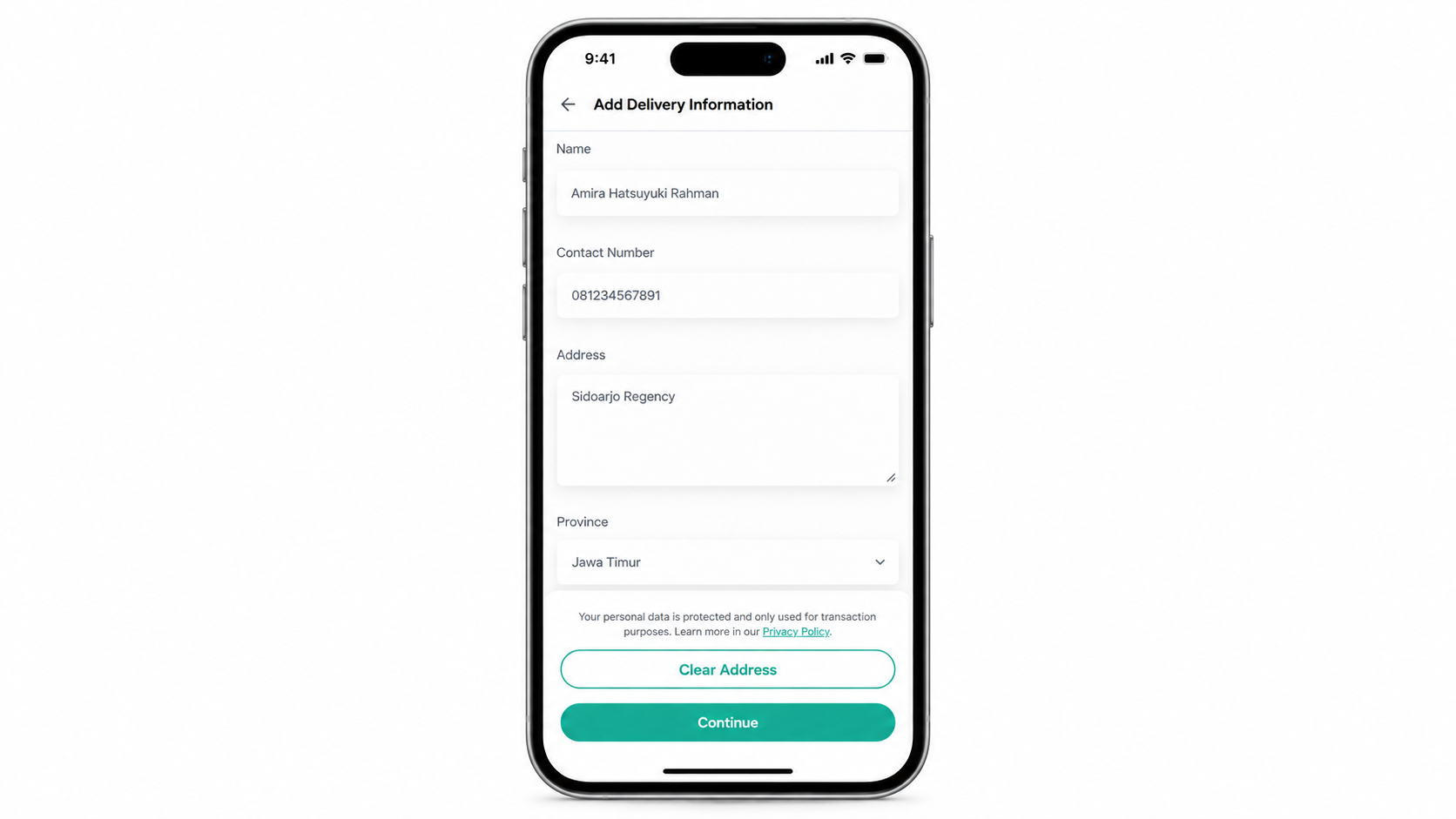
The notice appears on the Add Delivery Information page, just above the Clear Address button, where customers are entering their details.
It's information only: there's no checkbox, nothing to agree to, and it never stops a customer from continuing. The linked text opens your privacy policy in a new tab, so nothing they've already typed is lost.
Key Takeaways
Turn it on per store, from Store Settings > Store Information.
You write the message yourself: up to 150 characters, with exactly one pair of square brackets marking the link.
The privacy policy is your own page, and customers open it in a new tab.