
Account Settings is where you manage who you are in Qiscus Shop and who else can get into your stores. It sits one level above your stores, so anything you set here applies across the whole account rather than to a single store.
Accounts and stores
Qiscus Shop separates two things:
An account is your organisation in Qiscus Shop. It holds your team.
A store is a single shop inside that account, with its own products, orders, and settings. One account can hold several stores.
Your role belongs to the account, and your store scope decides which stores that role applies to — one store, a few stores, or every store in the account.
Opening Account Settings
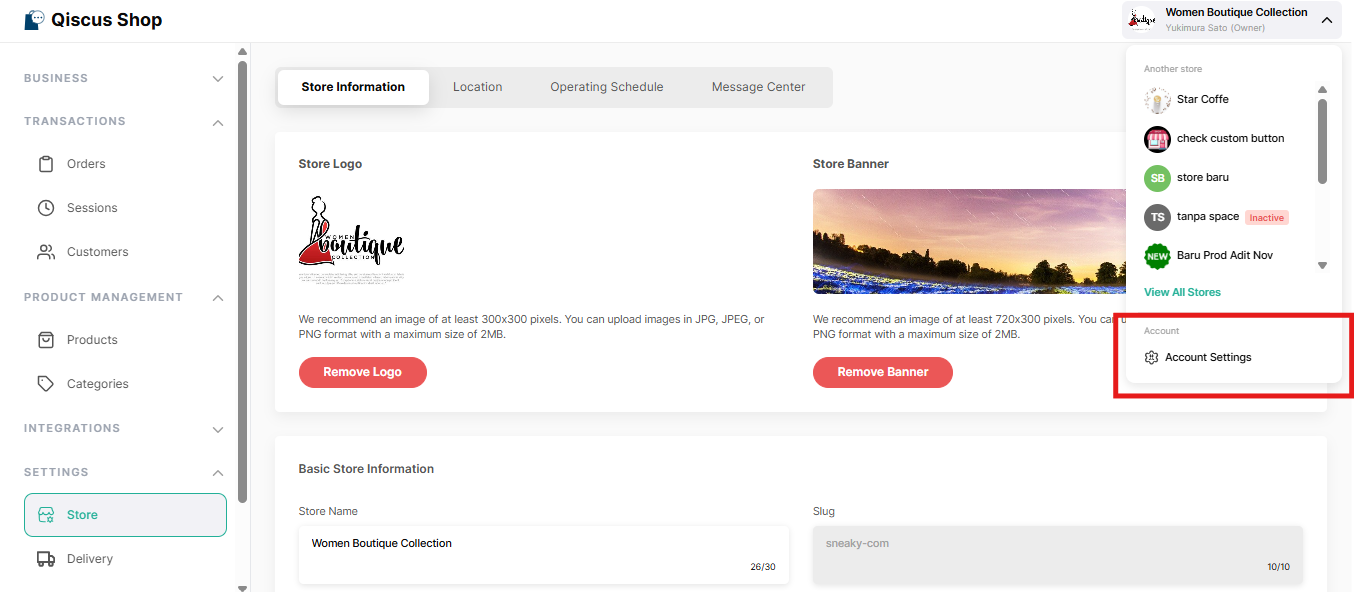
From inside a store, click the store name at the top of the page and select Account Settings. You can also open it from the store list, without going into a store first.
What's inside
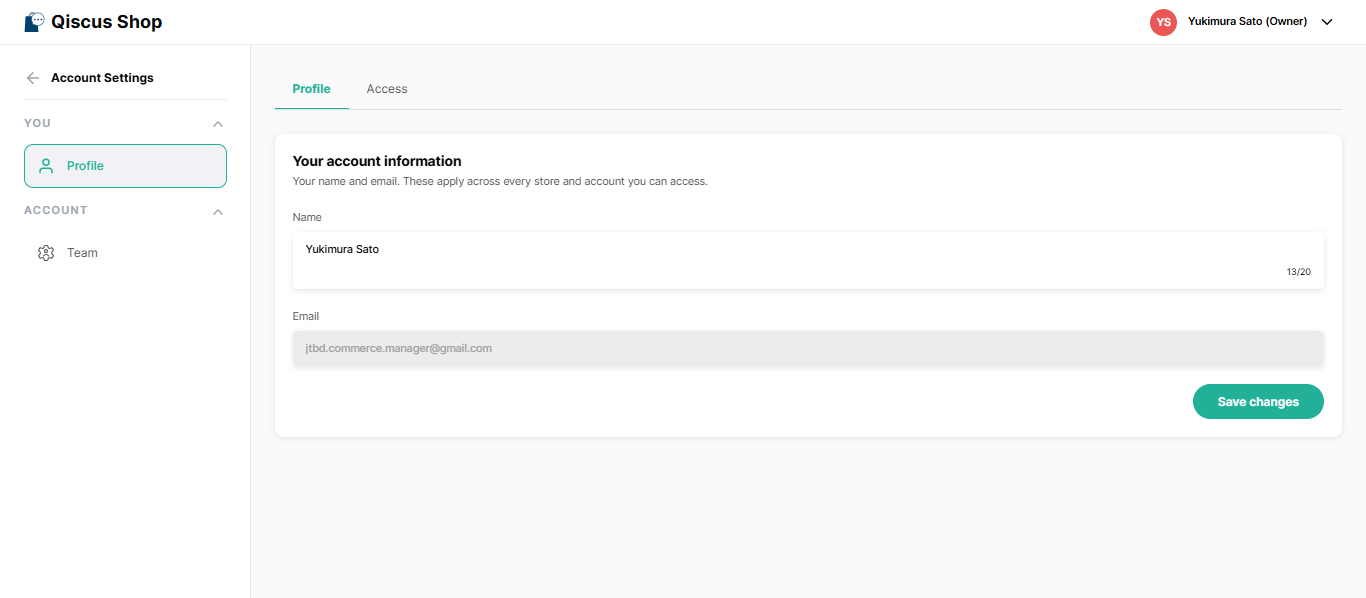
Profile is yours: your name, your email, and the access you hold. Everyone can open it, whatever their role.
Team lists everyone who can reach the account, with their role and store access. It's limited to the account owner and to admins who have access to all stores — if you don't see it, your role doesn't include it.
How people get an account
Nobody needs to be invited manually. An account is created the first time someone opens Qiscus Shop, with a starting role that the owner or an admin can change afterwards from Team. See Roles and Permissions for which role people start on.
People appear in Team automatically when they first connect. Inviting someone manually and removing their access completely aren't available yet. You can still adjust anyone's role or store access from Team.
Key Takeaways
What you set here applies across every store in the account, not just the one you're in.
Everyone can open Profile. Team is limited to the owner and to admins with access to all stores.
Accounts are created automatically on someone's first visit — there is no invitation step.