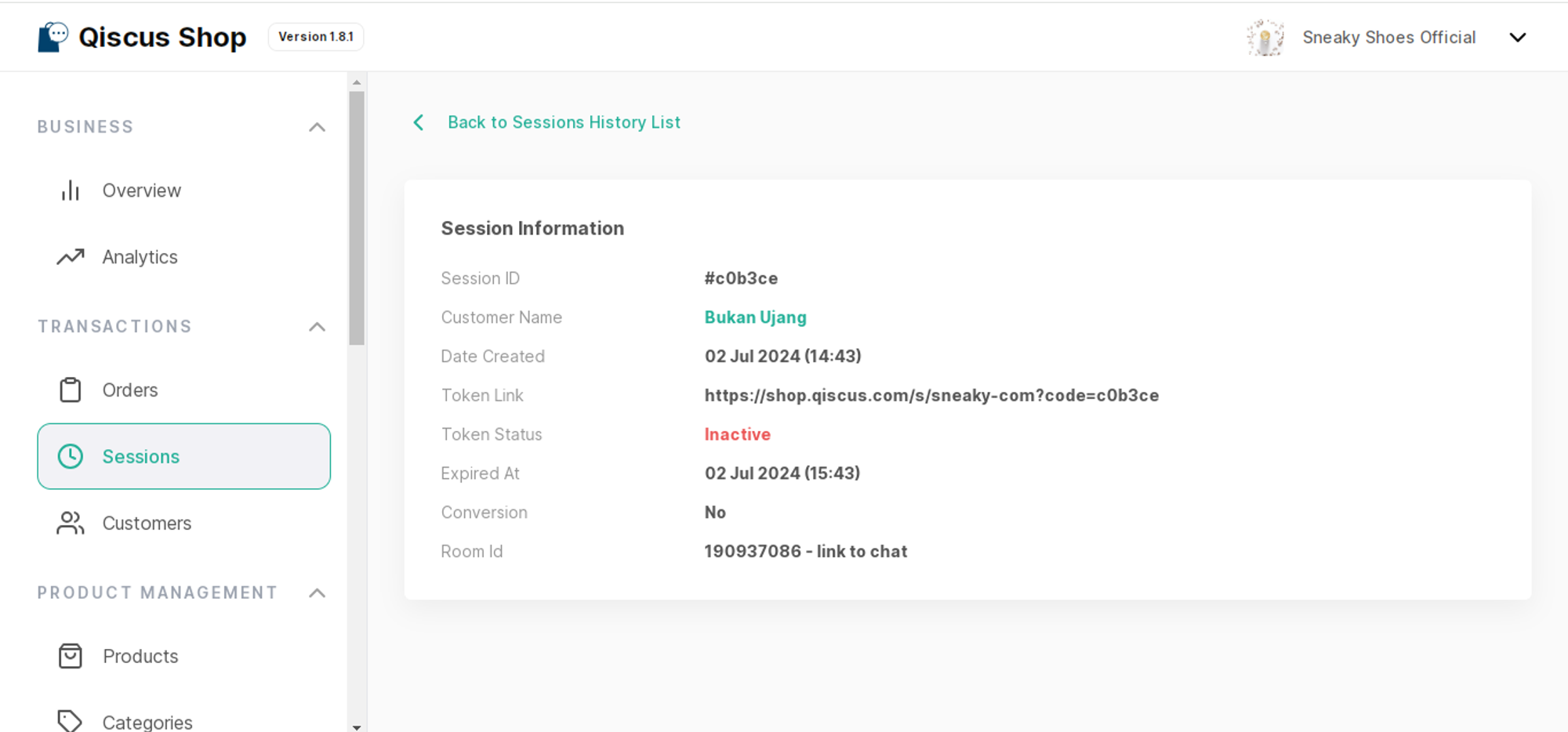
a. Search Sessions
This menu allows you to search for sessions associated with specific orders. A session refers to a particular interaction or engagement with a customer regarding their order. You can get the list of sessions that include the information of Session ID, Customer’s name, Token link, and Token status.
Notes: In the "Store setting" configuration, there is an option called "Session Expiration" that determines the behavior of sessions. There are two types of sessions available:
The first type is "disabled expiration," where the value needs to be set as "0". With this setting, the session remains active indefinitely without any expiration.
The second type is "enable expiration," which allows for a specified time range of 1 to 1440 minutes. In this case, the session can be either active or inactive based on whether the expiration period is still ongoing or has already ended.
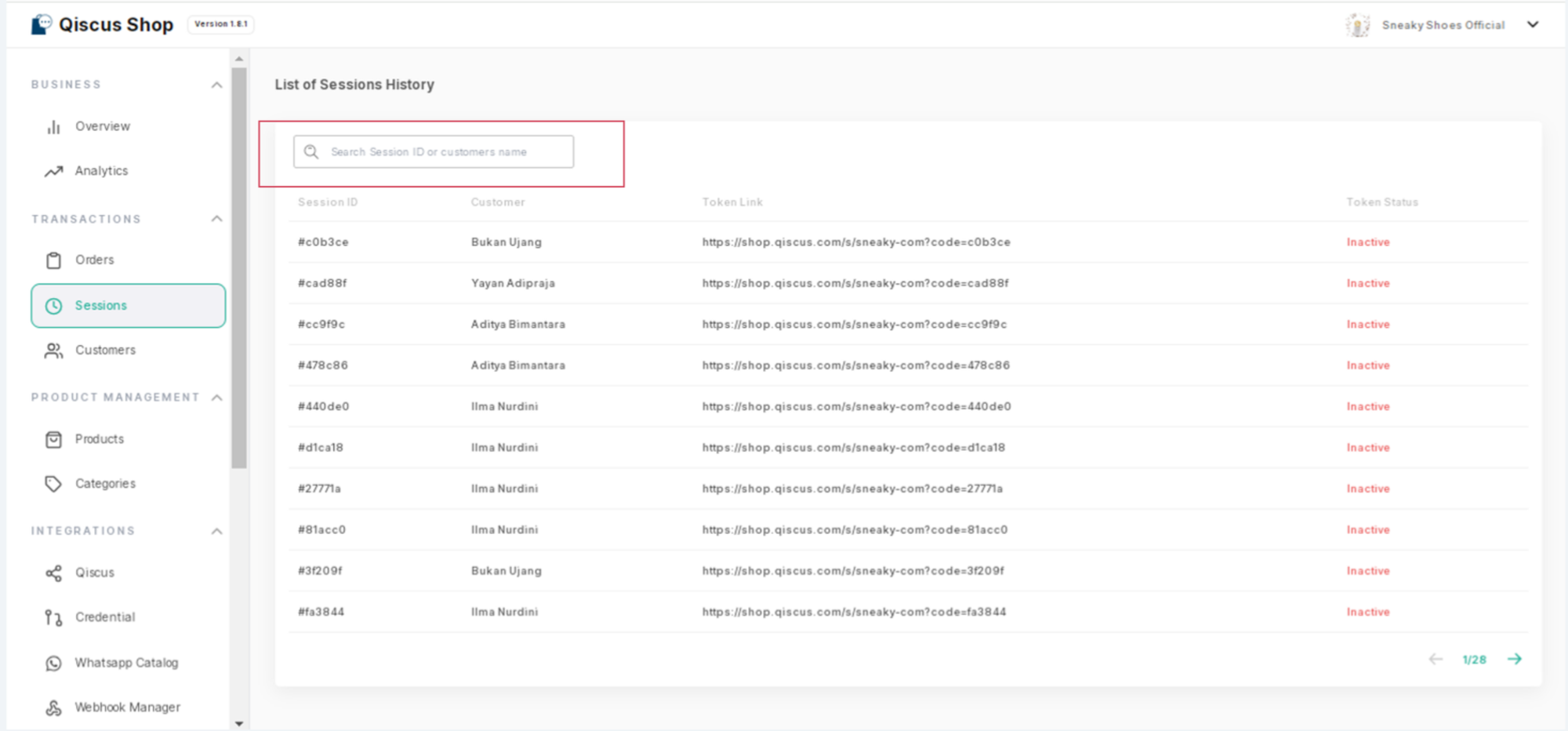
b. Session Information
This feature provides detailed information about a selected session, including:
Session ID: A unique identifier assigned to each session, typically used to distinguish and track individual sessions.
Customer's name: The name of the individual participating in the session
Date created: Indicates the date and time when the session was initiated or created.
Token link: The token link is a URL or access code provided to the customer to join or access the session.
Token status: Indicates whether the token link is active and valid or if it has expired or been revoked.
Expired time: Denotes the specific date and time when the session or token link will expire. After this time, the customer will no longer be able to join or access the session using the provided token link.
Conversion: Refers to whether the customer has successfully made an action (purchase), completion of a task, or attainment of a goal.
Room ID: Represents a unique identifier assigned to a specific chat room on the omnichannel dashboard within the session.