
Scheduled Delivery allows customers to choose a delivery date and time in advance when placing an order.
This helps customers plan their delivery while ensuring your store only receives orders at times you are ready to handle.
Why Use Scheduled Delivery
Scheduled Delivery helps you:
Give customers control over when their orders arrive
Avoid receiving orders at inconvenient times
Manage order preparation more efficiently
Provide a more predictable delivery experience
Setup Scheduled Delivery
Before using Scheduled Delivery, make sure everything is set up properly.
1. Set Up Delivery
Make sure your delivery setup is ready:
Delivery feature is enabled
3PL integration is active
Make sure at least one instant courier is enabled within your 3PL integration
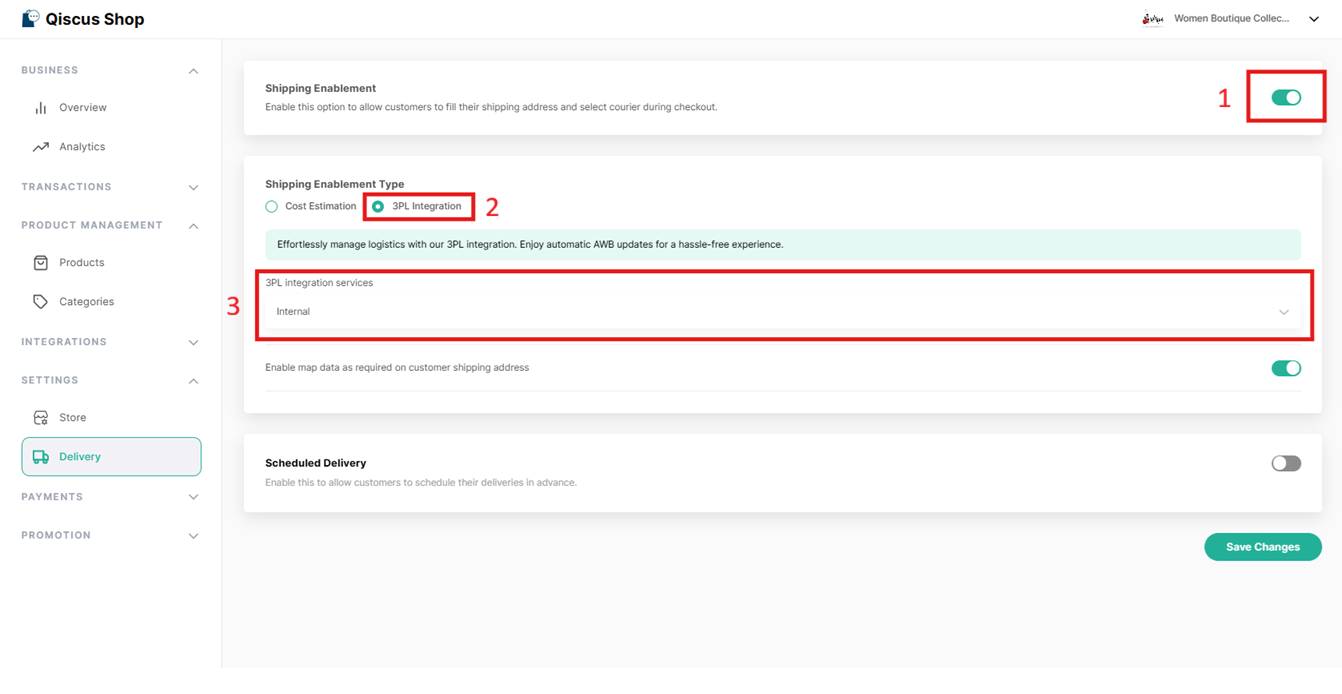
If these are not set, Scheduled Delivery will not be available.
2. Set Your Store Availability
Set your Store Operating Schedule to define when your store is open:
Choose your operating days and hours
Add holidays if needed
This ensures customers can only pick delivery times when your store is available.
3. Enable & Adjust Schedule Delivery Settings
First, enable Scheduled Delivery in your settings.
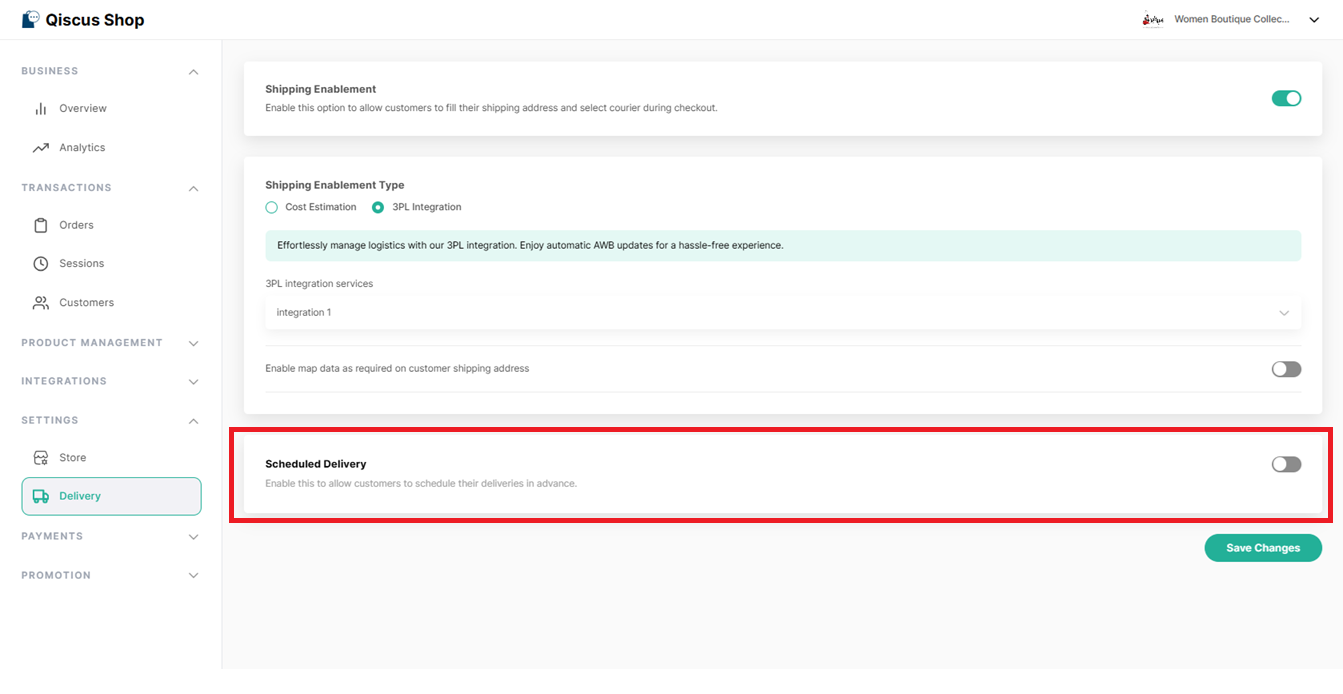
Then, configure how scheduling works:
Choose your delivery time slots (e.g., every 30 minutes, 1 hour)
Set minimum scheduled time: This defines how soon a delivery can be scheduled after an order is placed. Example: If set to 2 hours, customers can only choose delivery times starting from 2 hours after placing the order.
Set maximum scheduled time: This defines how far ahead customers can schedule their delivery.
Set preparation time: This represents how long your team needs to prepare an order before it is ready for delivery.
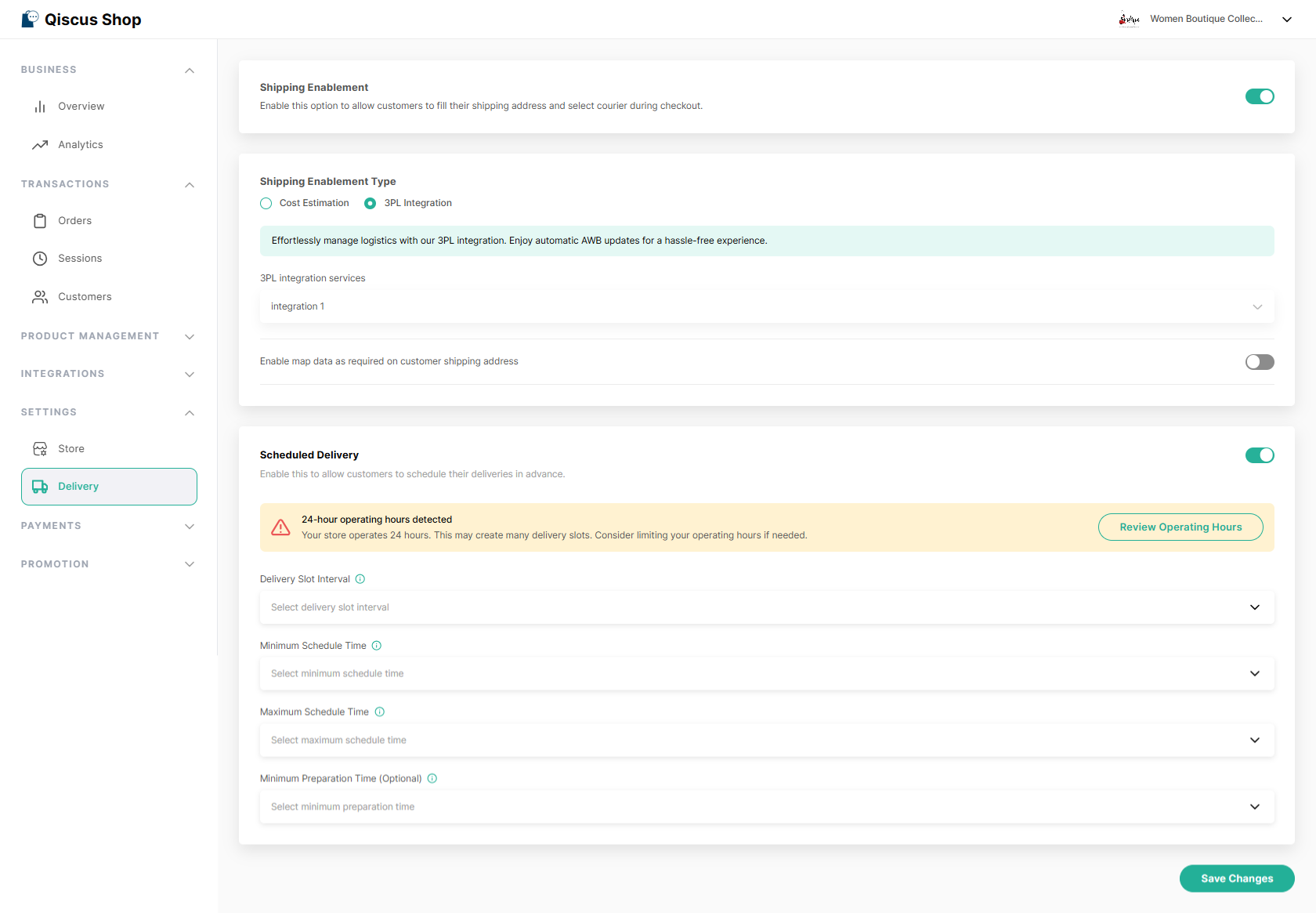
These settings determine which delivery options are available to customers. Once all settings are configured and saved, customers will see the scheduled delivery option during checkout.
When Scheduled Delivery Is Available
Customers will see the Scheduled Delivery option when:
Scheduled Delivery is enabled
The selected delivery method supports scheduling
Delivery setup is complete (including 3PL and active instant courier)
The selected schedule matches your Store Operating Schedule
If these conditions are not met, Scheduled Delivery will not appear, and customers can continue with regular delivery.
Available Delivery Times
Customers will only see delivery dates and times that:
Fall within your store’s operating days and hours
Are not on your store’s holiday dates
Meet your minimum and maximum schedule settings
Follow your configured time slot intervals
Unavailable dates or times will not be shown.
What Customers See During Checkout
When Scheduled Delivery is available:
The selected schedule will be shown before they place the order.
Customers choose a delivery method
They can choose:
Regular delivery
Scheduled delivery
If they choose Scheduled Delivery, they must select:
Delivery date
Delivery time
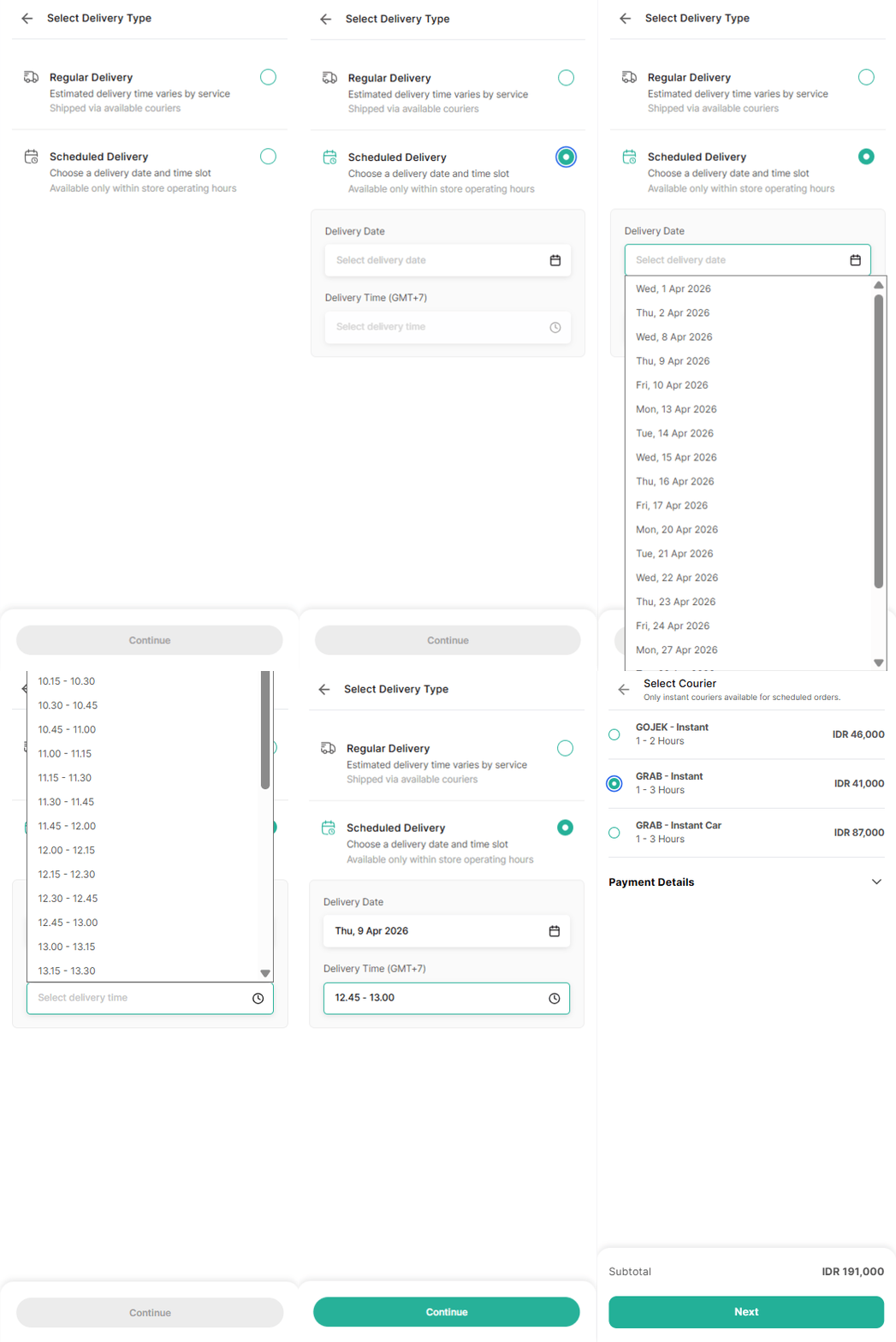
The selected schedule will be shown before they place the order.
If they choose regular delivery, they can continue without selecting a time.
What Happens After an Order Is Placed
The selected delivery date and time are saved with the order
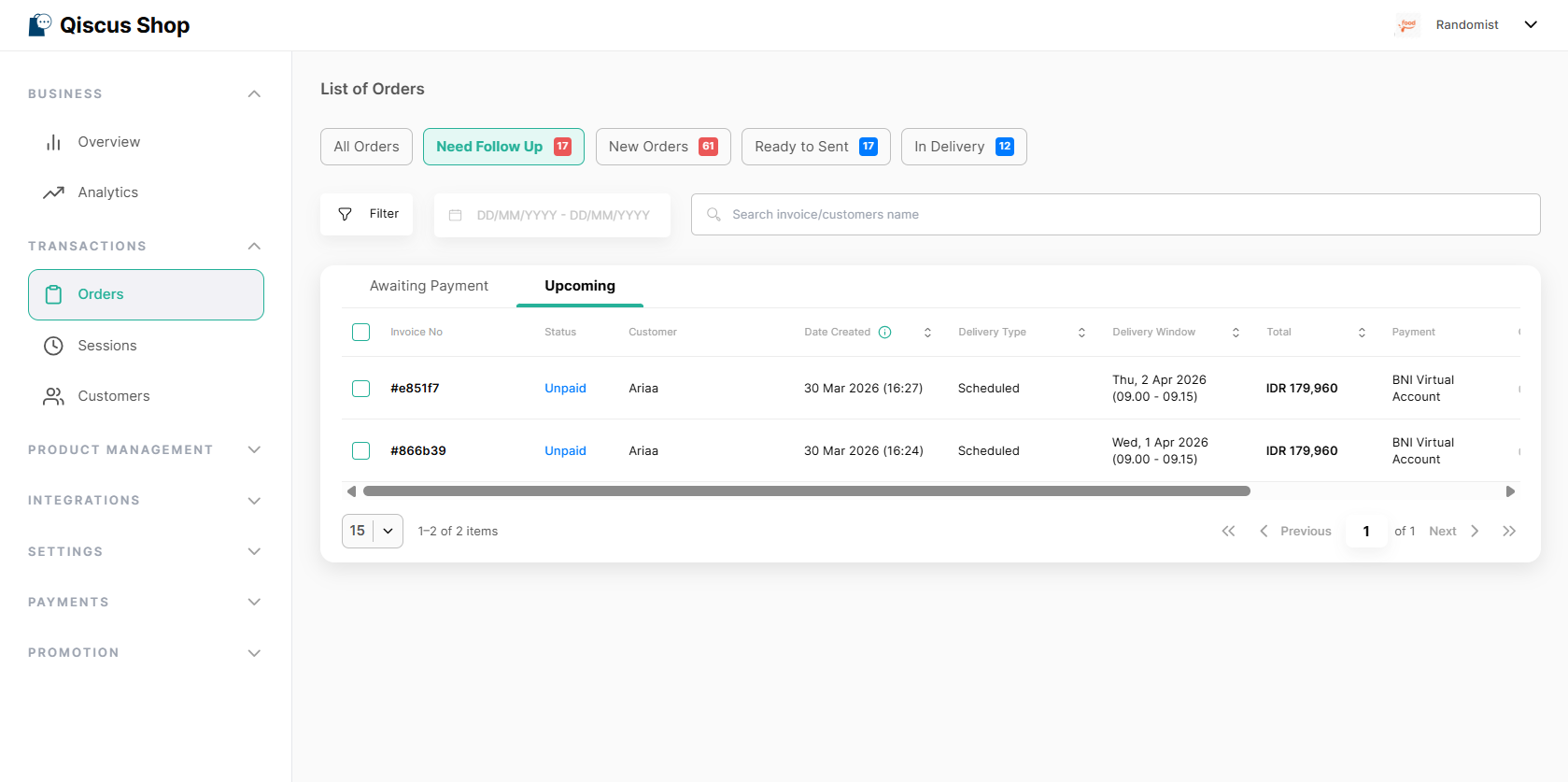
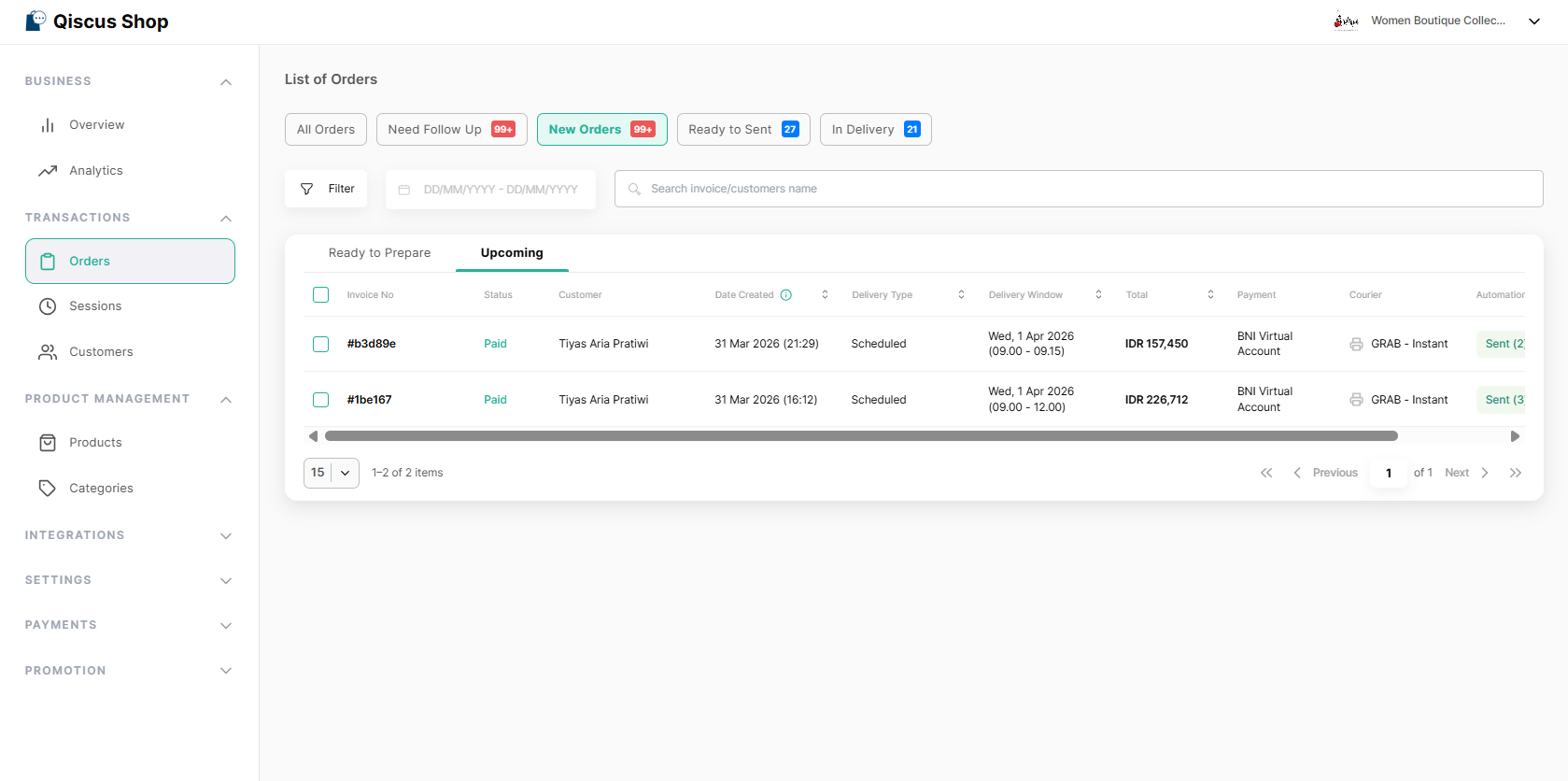
Scheduled orders will appear in the Upcoming tab until they reach their preparation time
Orders can only be processed once they enter their preparation time
Orders are processed as usual once they are ready
Late Orders
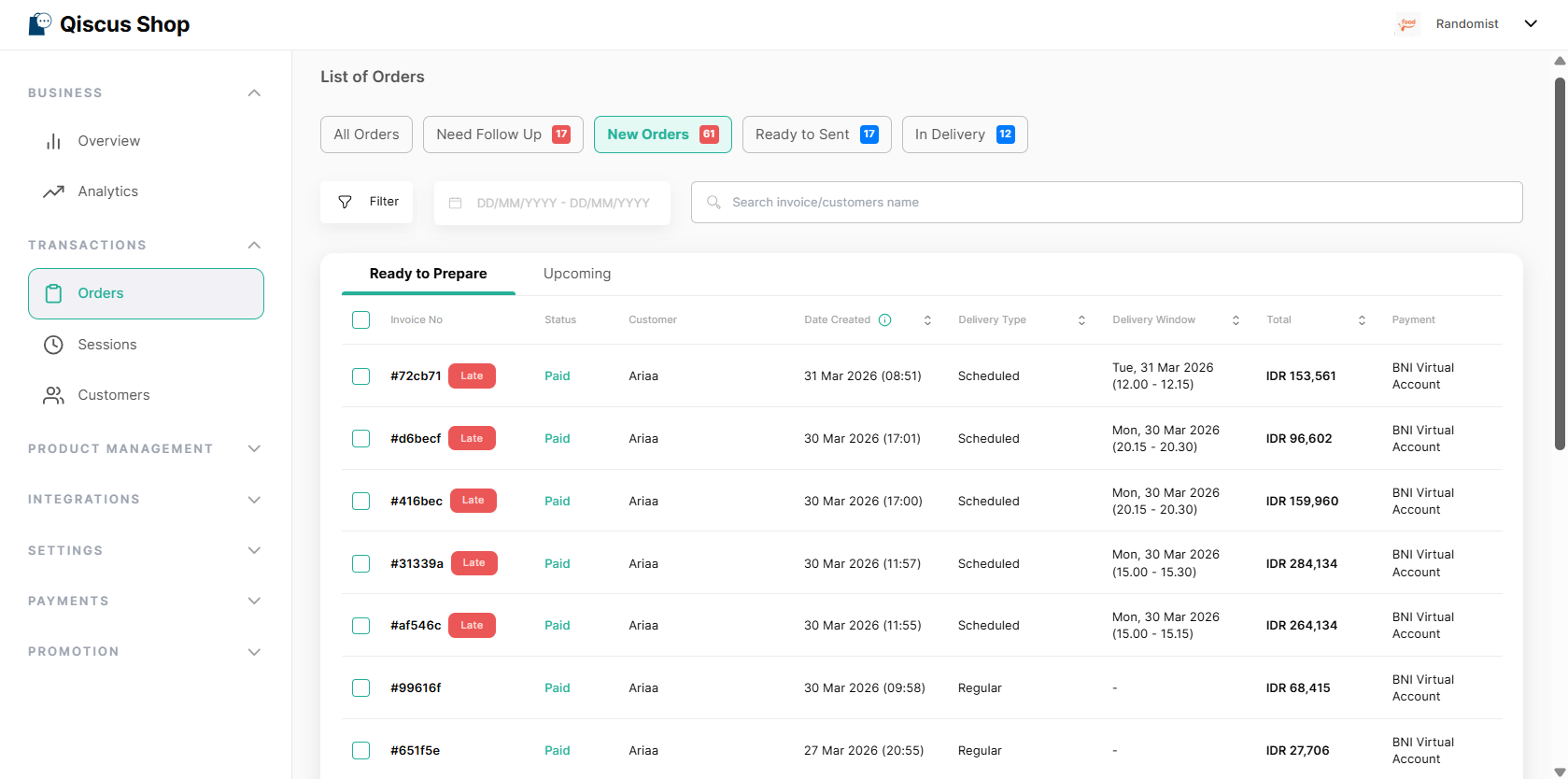
An order will be marked as Late if it has not been completed after its delivery time has passed.
This helps you identify orders that require immediate attention.
Summary
Scheduled Delivery allows customers to choose when their orders are delivered.
It helps you manage order timing more effectively while providing a more predictable and reliable delivery experience for your customers.