
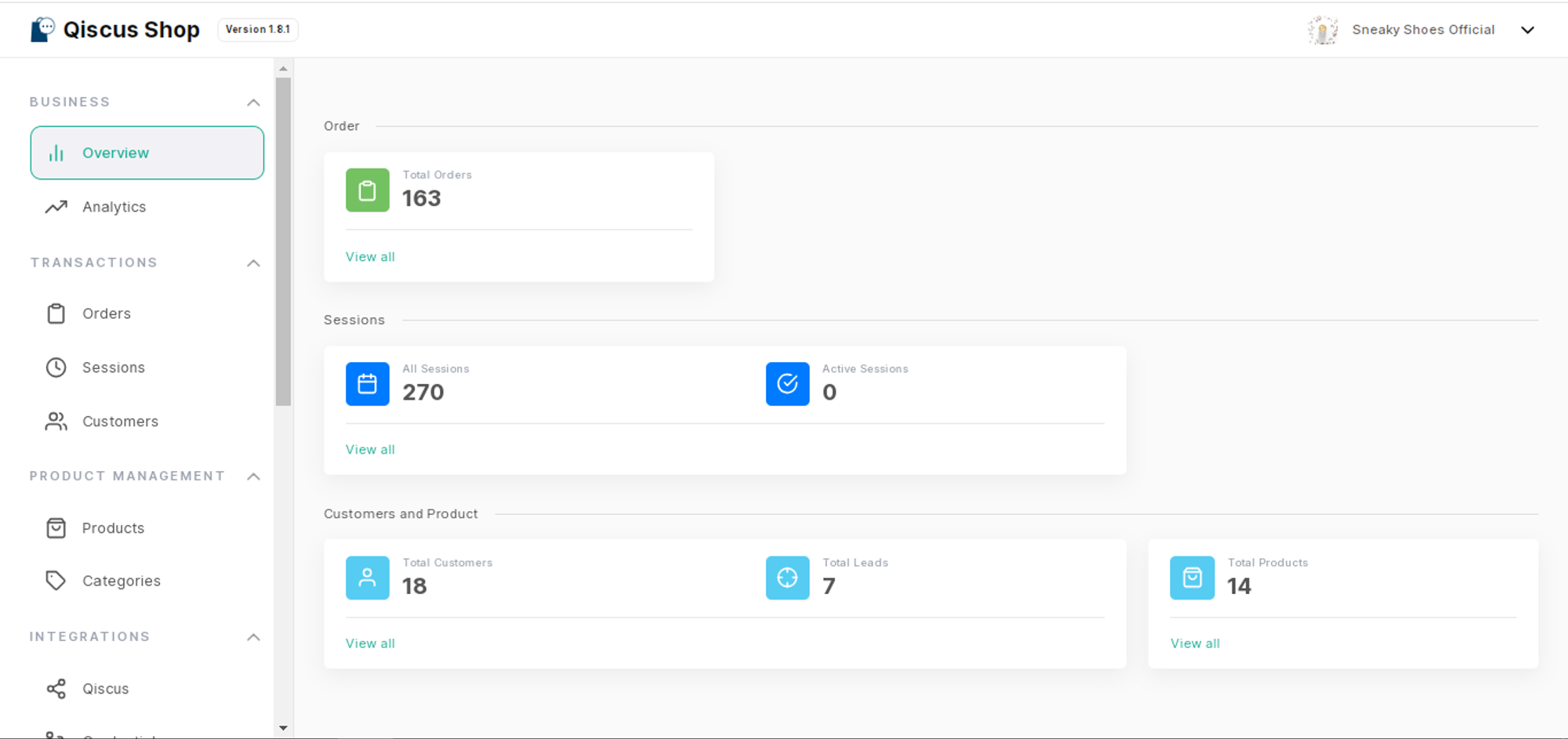
The Overview menu provides users with a comprehensive snapshot of key analytics and metrics related to the store's performance and customer interactions. It offers valuable insights into the following categories:
Total Orders: This section displays the cumulative number of orders received by the store. It gives you an overview of the store's overall sales volume and can serve as a measure of business growth and performance.
Total Sessions: This metric represents the total number of sessions or interactions that have taken place between customers and the store. A session refers to a specific period of engagement, such as browsing products, adding items to the cart, or completing a purchase.
Active Sessions: This section highlights the number of ongoing or currently active sessions in real time.
Customers: This metric showcases the total number of customers who have interacted with the store. It provides an understanding of the customer base and can be used to track customer acquisition and retention efforts.
Leads: This section focuses on the number of leads generated by the store. Leads typically represent potential customers who have expressed interest in the store's products or services but have not yet made a purchase.
Products: The number of products that the store has added to the system.