
Pre-Order lets you sell a variant before it's ready to ship — made-to-order items, seasonal products, or anything you want to take orders for ahead of production. Customers pay in full up front and see an estimated ship or pickup date; you fulfill it once it's ready, using the same Orders flow you already use for regular stock.
Regular Product | Pre-Order Product | |
|---|---|---|
What it sells | Stock that's ready now | Stock that will be ready in the future |
Limited by | Current stock | The same stock, treated as a production quota |
Processing | Processed/shipped right away | Processed/shipped after the estimated ready date |
Customer sees | No estimate needed | An estimated ship/pickup date up front |
A variant is either Regular or Pre-Order — never both at once.
Setting Up a Pre-Order Variant
From Products, open a variant on the Add/Edit Product page and turn on the Pre-Order toggle.
Set Days required to ship — anywhere from 3 to 30 days.
Turn the toggle off at any time to switch the variant back to Regular stock.
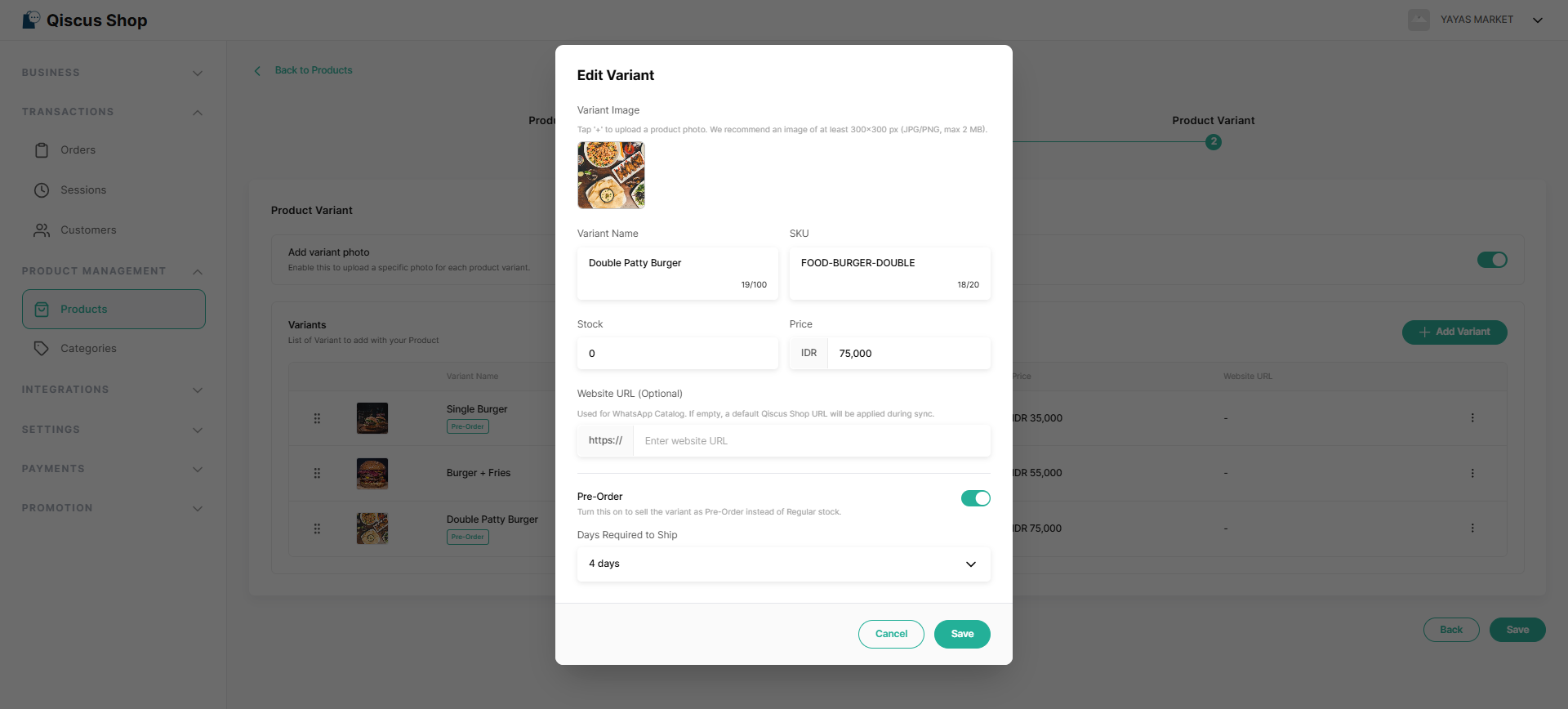
Stock is shared between Regular and Pre-Order — there's no separate quota to manage. Changing the number of days later only applies to new orders; orders already placed keep their original estimate.
What Customers See
A Pre-Order badge appears wherever the variant shows up — product pages, cart, and order confirmation, summary, and details. Customers see an estimated ship or pickup date, calculated from when they pay plus the number of days you set. If an order is running behind, they get a friendly heads-up on their order page — this clears automatically once it ships.
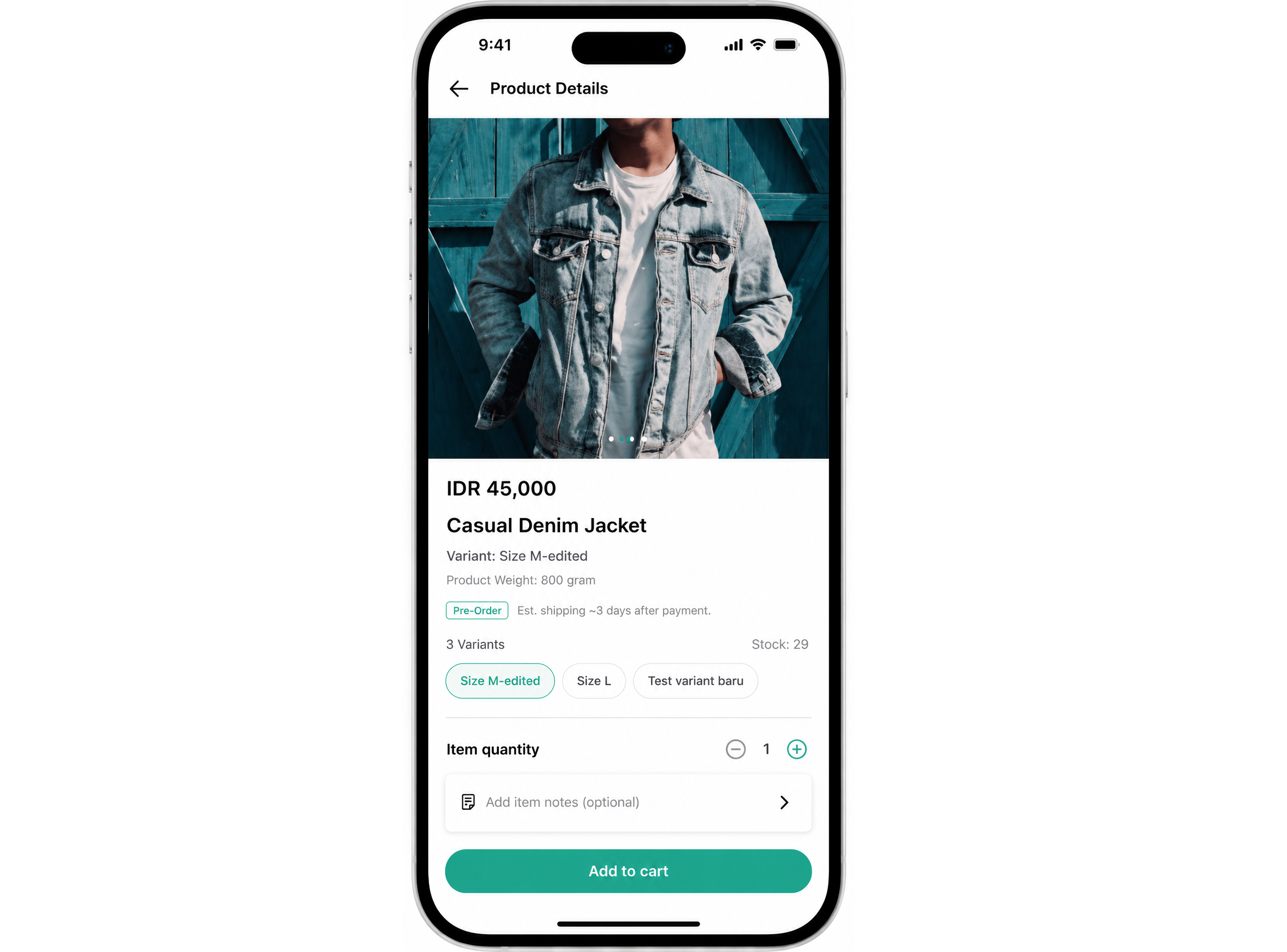
Ordering a Pre-Order Item
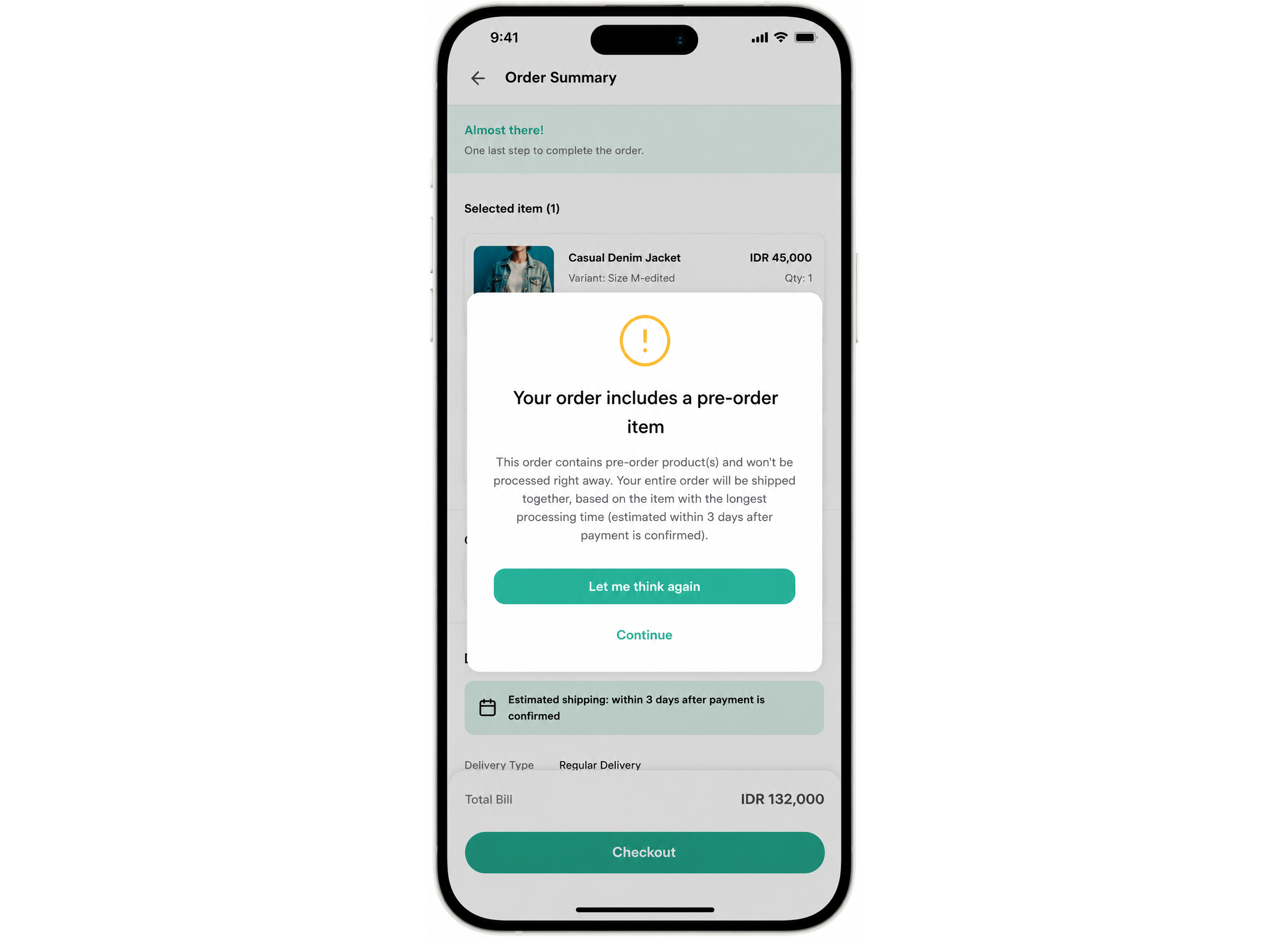
Customers can mix Pre-Order and ready-stock items in one order — everything ships or becomes ready together, timed to whichever Pre-Order item takes longest. A short notice appears at checkout to let them know their order won't be processed right away.
Because Pre-Order relies on a fixed estimate, it can't be combined with Scheduled Order — customers can't pick their own delivery date on an order that includes a Pre-Order item.
Once placed, a Pre-Order order is locked in: the items and estimate don't change, even if a product is later removed from your catalog.
WhatsApp Catalog
Pre-Order works through WhatsApp Catalog too — the product itself looks the same as any other listing there, and the Pre-Order details apply once the customer checks out in Qiscus Shop. See WhatsApp Catalog.
Managing Pre-Orders
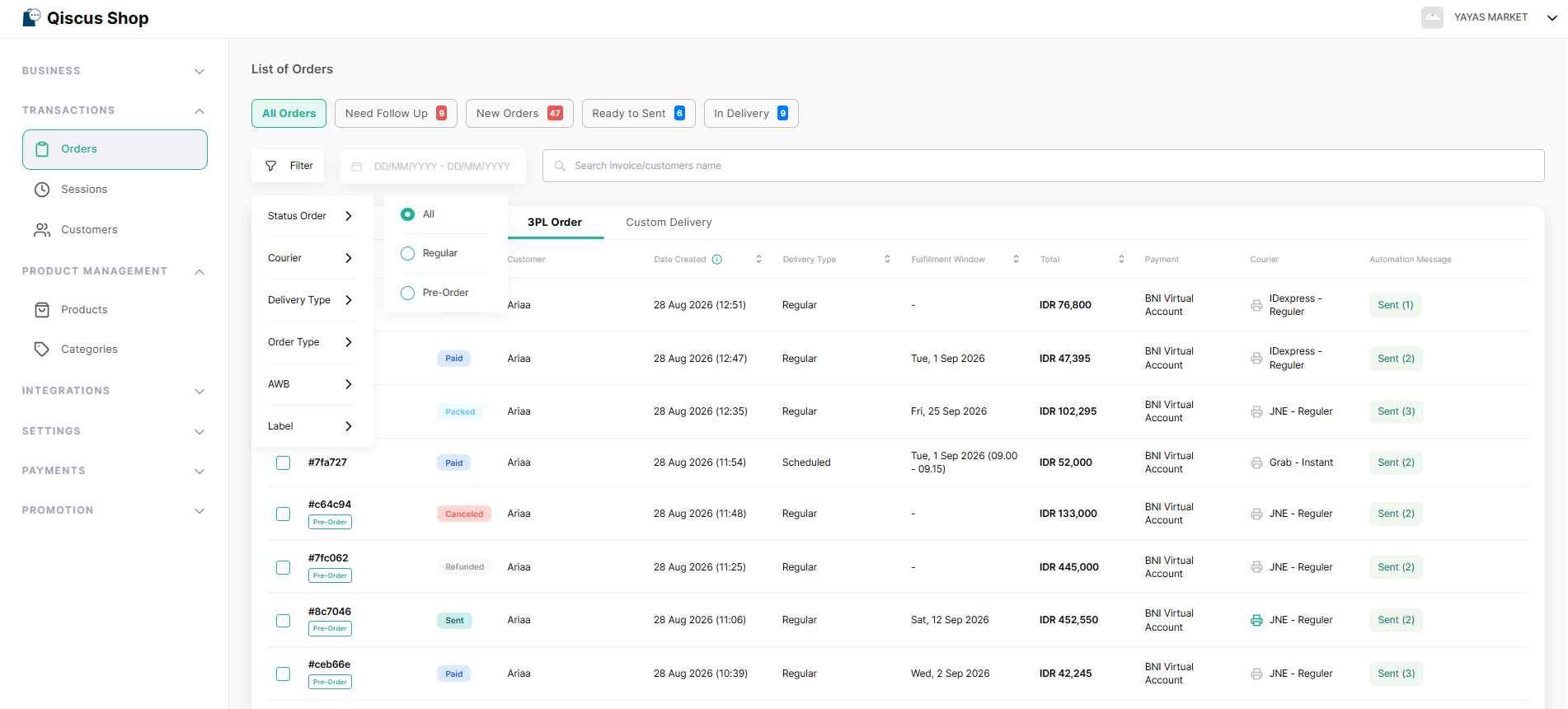
Pre-Orders are managed from your existing Orders page — no new tab or menu to learn.
A Pre-Order badge marks the relevant rows, and a new Order Type filter lets you view them separately.
The estimated ship/pickup date shows in the Fulfillment Window column, same as other orders.
An overdue Pre-Order is flagged the same way any late order is.
Fulfilling a Pre-Order works exactly like fulfilling a regular order — no extra steps.
Cancelling a Pre-Order cancels the whole order and returns its stock.
Works with Flash Sale and Product Discount
Pre-Order variants can join a Flash Sale or Product Discount campaign — Pre-Order is about when an item ships, promotions are about price, so the two don't conflict. Once a customer pays, they keep the price they paid even if the promotion ends before the item ships.
In the Add Products picker for either promotion, Pre-Order variants carry a badge so you notice before adding them.
Setting Up in Bulk
You can also mark variants as Pre-Order in bulk — through the product import template, or via sync from a 3rd-party system.
Key Takeaways
Pre-Order is a per-variant toggle (3-30 days to ship) that shares its stock with Regular — not a separate product type or a separate quota.
Customers always see an estimate, and get a heads-up if their order runs late.
Pre-Order can't be combined with Scheduled Order.
Managed entirely from the existing Orders page — a badge and a filter, nothing new to learn.
Compatible with Flash Sale and Product Discount.