
Customer Notes allow customers to leave additional information on their orders — such as special requests, preferences, or handling instructions — so you can fulfill orders more accurately without going back and forth in chat.
There are two types of customer notes:
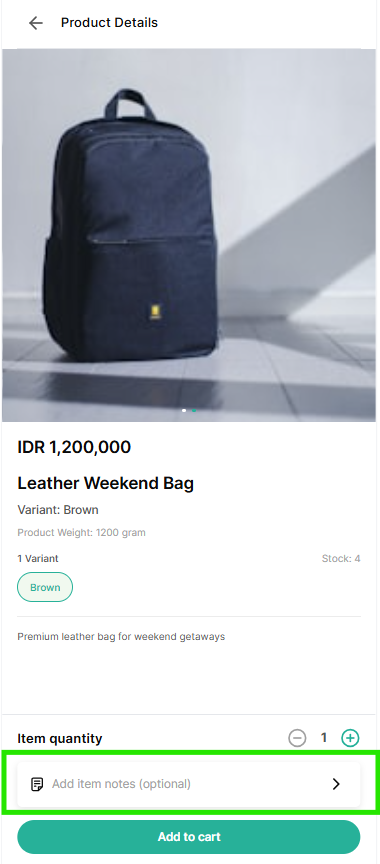
Item Notes — notes attached to an individual product in the order (for example, "Size L, red color" or "No sugar, please").
Order Notes — a single note that applies to the whole order (for example, "Please deliver after 5 PM").
Both note types are optional and support up to 150 characters each.
How Customers Add Notes
Item Notes
Customers can add an Item Note from the product detail page when adding a product to the cart. Item Notes can still be edited at any time before checkout.
Order Notes
Customers can add an Order Note on the Order Summary page before completing the order.
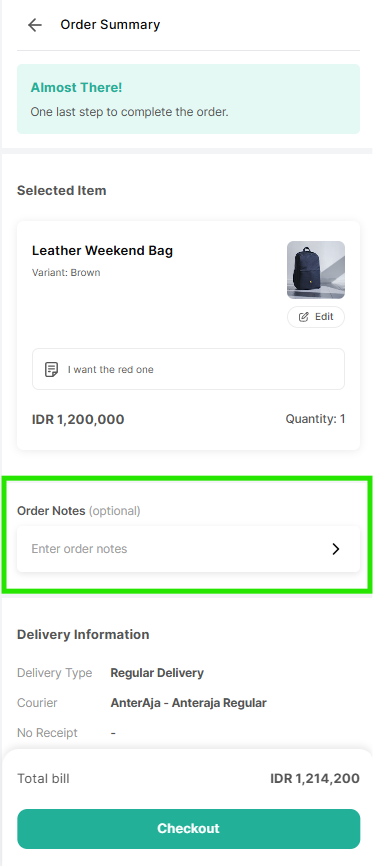
Once the order is placed, both Item Notes and Order Notes become read-only and can no longer be edited by the customer.
Viewing Notes as an Admin
Item Notes and Order Notes added by a customer are displayed in full on the Order Details page in the Qiscus Shop admin dashboard.
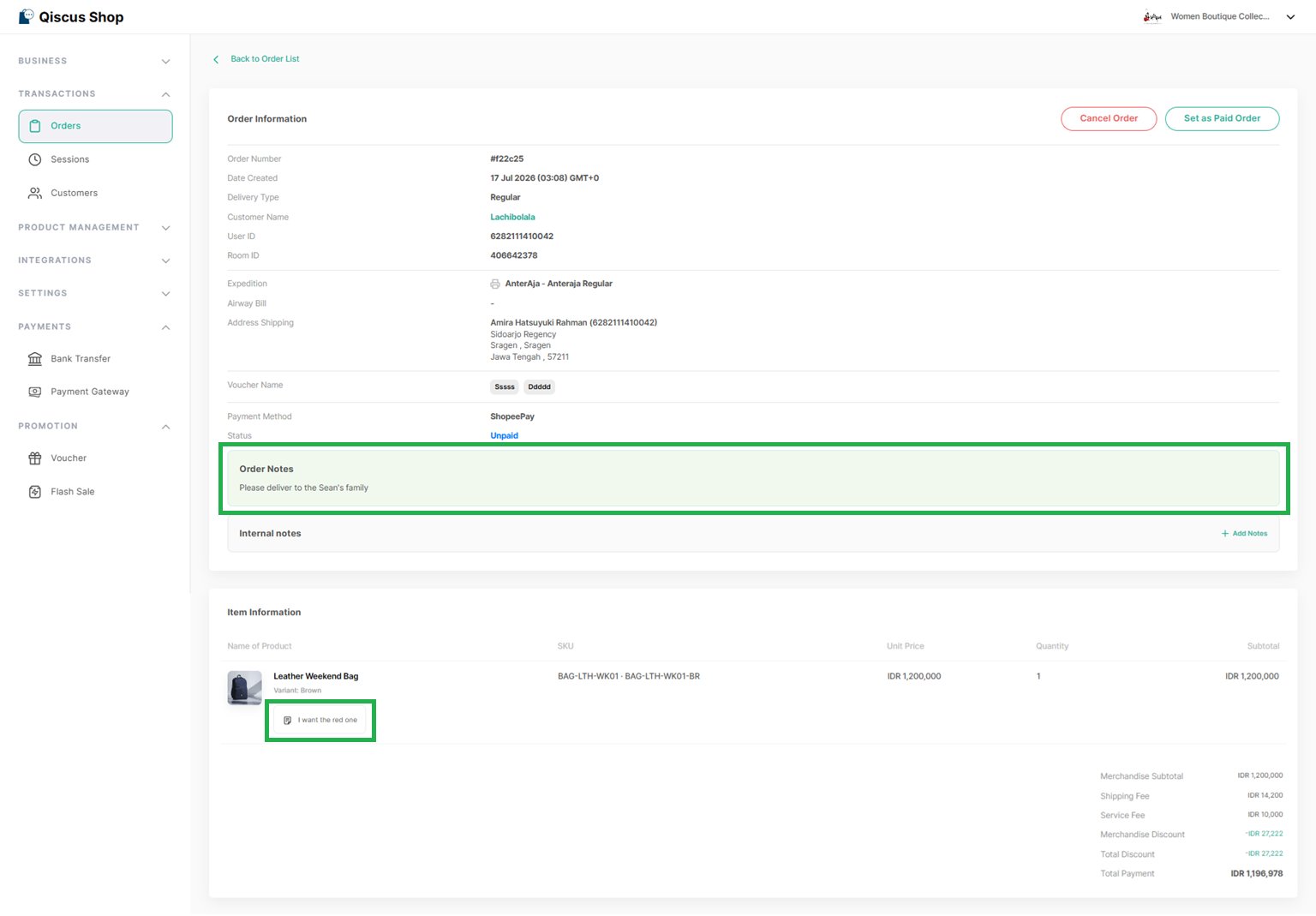
Customer notes are also printed in full on the Order Label and shown on the Order Receipt, so your fulfillment team can see special instructions when packing and shipping an order, and customers can review their notes after purchase.
Customer Notes on WhatsApp Catalog Orders
Orders created through WhatsApp Catalog support Order Notes only — Item Notes are not available for WhatsApp Catalog orders.
Customers can add or edit an Order Note on the Order Details page while the order status is still Incomplete. Once the Delivery Information and Payment Details have been completed, the note becomes view-only.
Key Takeaways
Notes can be edited any time before checkout, and become read-only after the order is placed.
WhatsApp Catalog orders support Order Notes only, editable while the order is Incomplete.