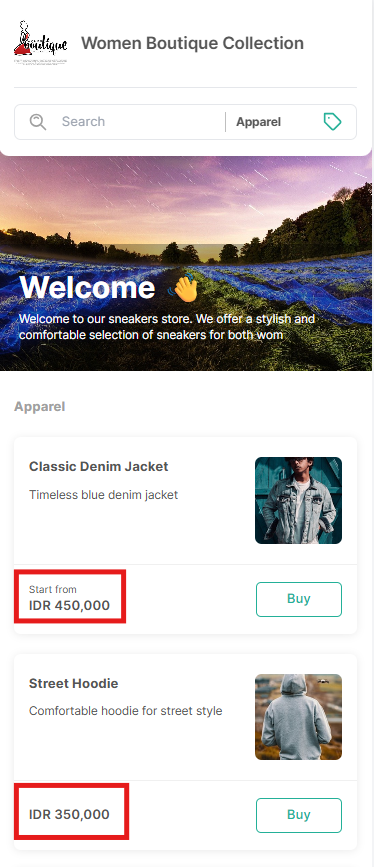
Store Currency determines the currency used across your store for pricing, checkout, payments, and order records. This ensures customers see consistent prices and that payments can be processed correctly.
Overview
Qiscus Shop operates using a single-currency system.
Store Currency defines the currency your store uses to display and process all monetary values. This ensures consistent pricing, accurate payment processing, and reliable financial records.
The selected currency applies to:
- Product prices
- Cart and checkout totals
- Order amounts
- Payment transactions
- Order receipts
- Reports and financial records
Each store can only have one active currency.
Qiscus Shop does not support multiple currencies or automatic exchange rate conversion. All transactions are processed strictly in the store’s active currency.
Supported Currencies
Qiscus Shop supports multiple international currencies.
The available currency options can be viewed directly in the Store Currency dropdown in your dashboard.
Only the currencies listed in the dropdown can be selected as your store currency.
Managing Store Currency
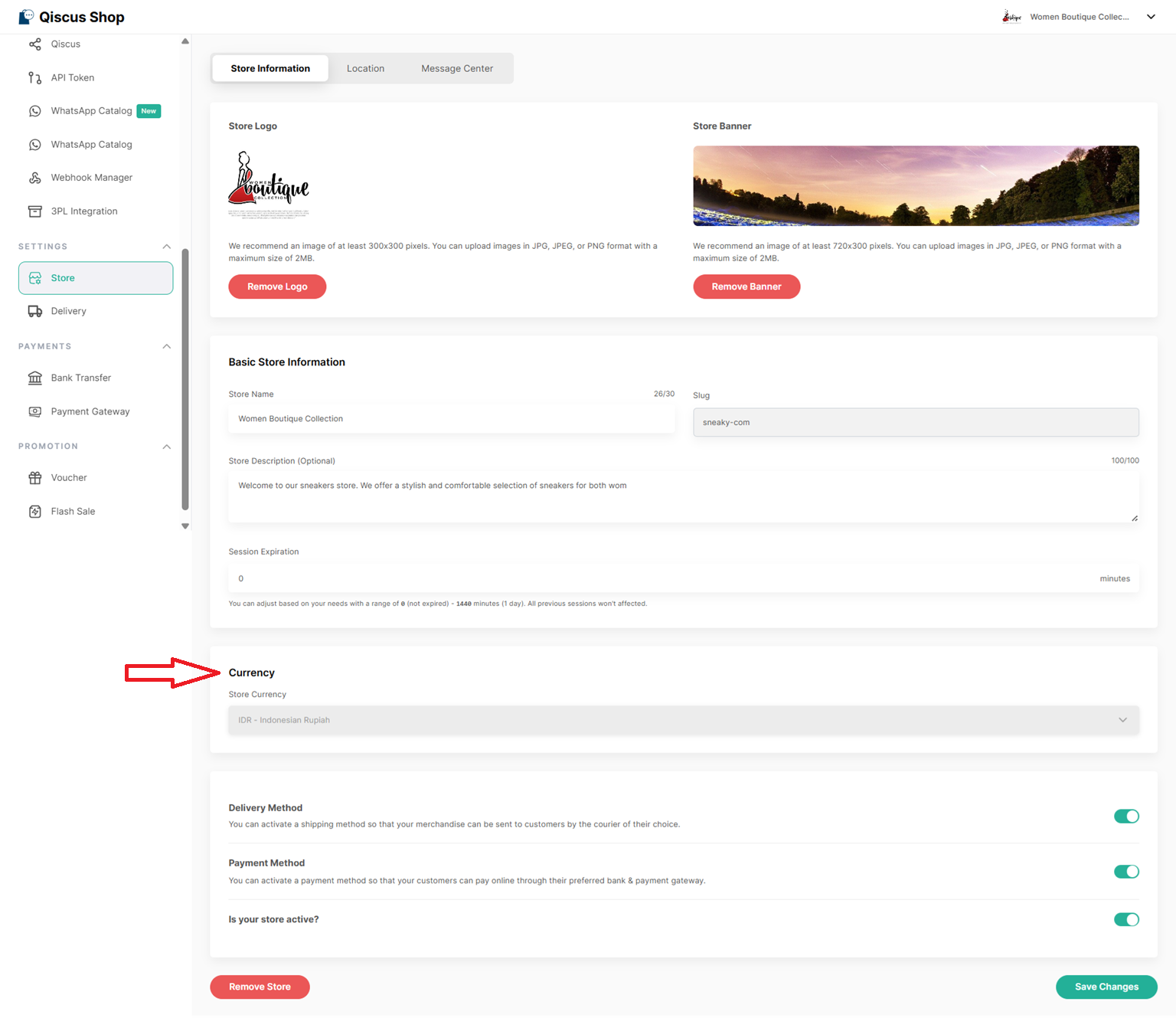
To manage your store currency:
- Go to Qiscus Shop Dashboard
- Open the Store menu
- Select the Store Information tab
- Locate Store Currency under the Currency section
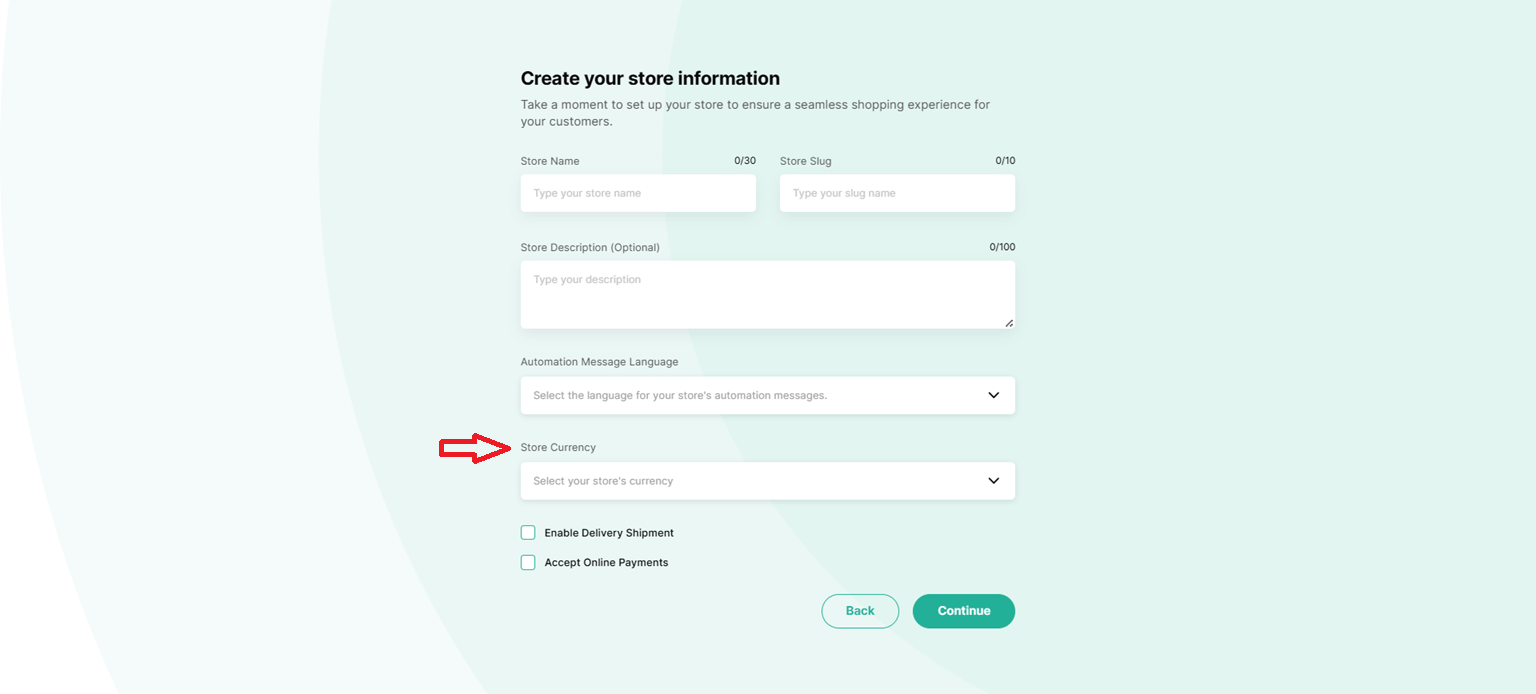
You can also select the currency during initial store setup.
Changing Store Currency
Store currency can only be changed before any order is created.
Once your store has at least one order:
- The store currency becomes locked
- You will no longer be able to change it
This restriction helps maintain accurate pricing, payment records, and reports.
Payment Provider Compatibility
The selected store currency determines which payment providers are available in Qiscus Shop.
Delivery Feature Availability
The delivery feature in Qiscus Shop currently supports IDR only.
As a result:
- If your store currency is set to IDR, delivery features can be used normally
- If your store currency is set to any non-IDR currency, delivery features will not be available
This limitation exists because current delivery integrations provided by Qiscus Shop only support IDR at this time.
Checkout, Payments & Customer Experience
Qiscus Shop ensures a fully consistent single-currency experience.
At checkout:
- Customers pay in the store’s active currency
- No automatic currency conversion occurs
- The displayed amount equals the charged amount
- There is no estimated pricing — the amount shown is the exact transaction amount
Throughout the shopping journey, customers will always see:
- Prices displayed in the store’s active currency
- The same currency consistently used across product pages, cart, checkout, and receipts