
The My Notification section displays a list of recent activities performed. It helps you to recall their previous actions and ensures the integrity of the information. To access My Notifications page, please follow these steps:
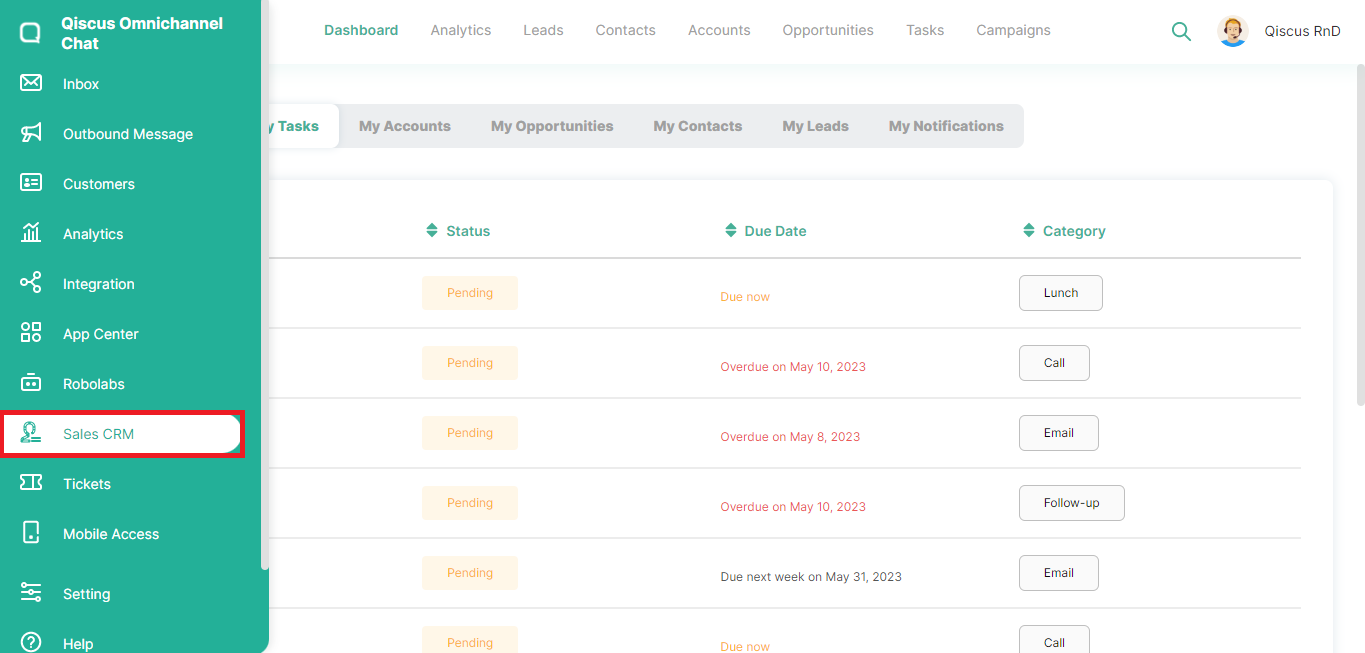
Click the Sales CRM menu in the left sidebar,
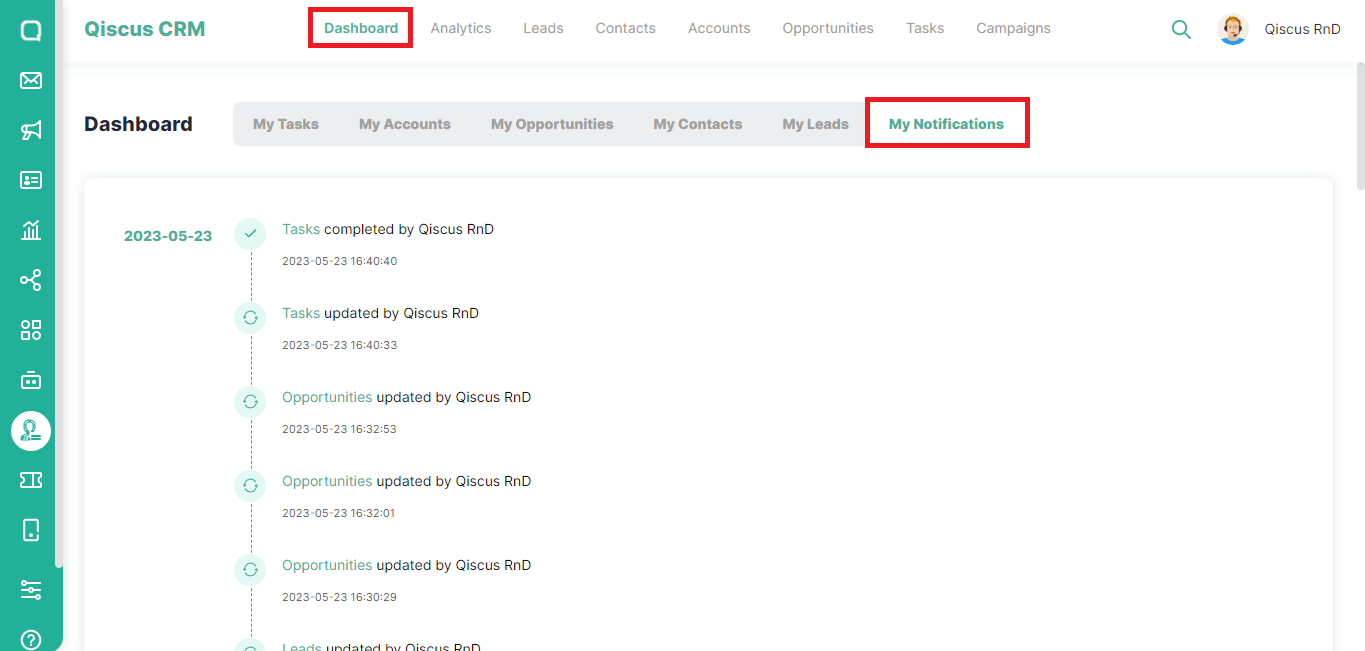
Click Dashboard at the top, then select My Notifications. You can quickly view information about the recent activities.
Was this page helpful?