Title
Message
Create new category
What is the title of your new category?
Edit page index title
What is the title of the page index?
Edit category
What is the new title of your category?
Edit link
What is the new title and URL of your link?
Analytics
Copy Markdown
Open in ChatGPT
Open in Claude
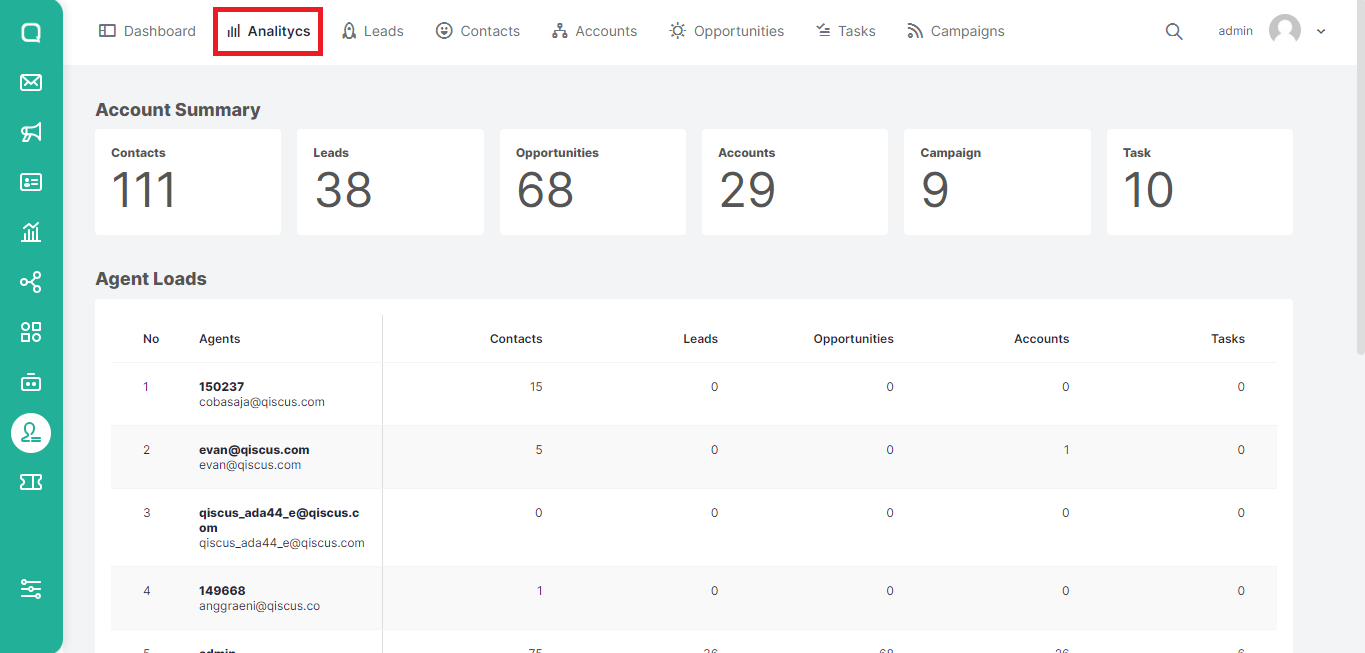
On this page, you can see analytics in the form of the number of contacts, leads, opportunities, accounts, campaigns, and tasks. In addition, you can also see the analytics of each agent. Here are the steps you can follow to view analytics for QCRM:
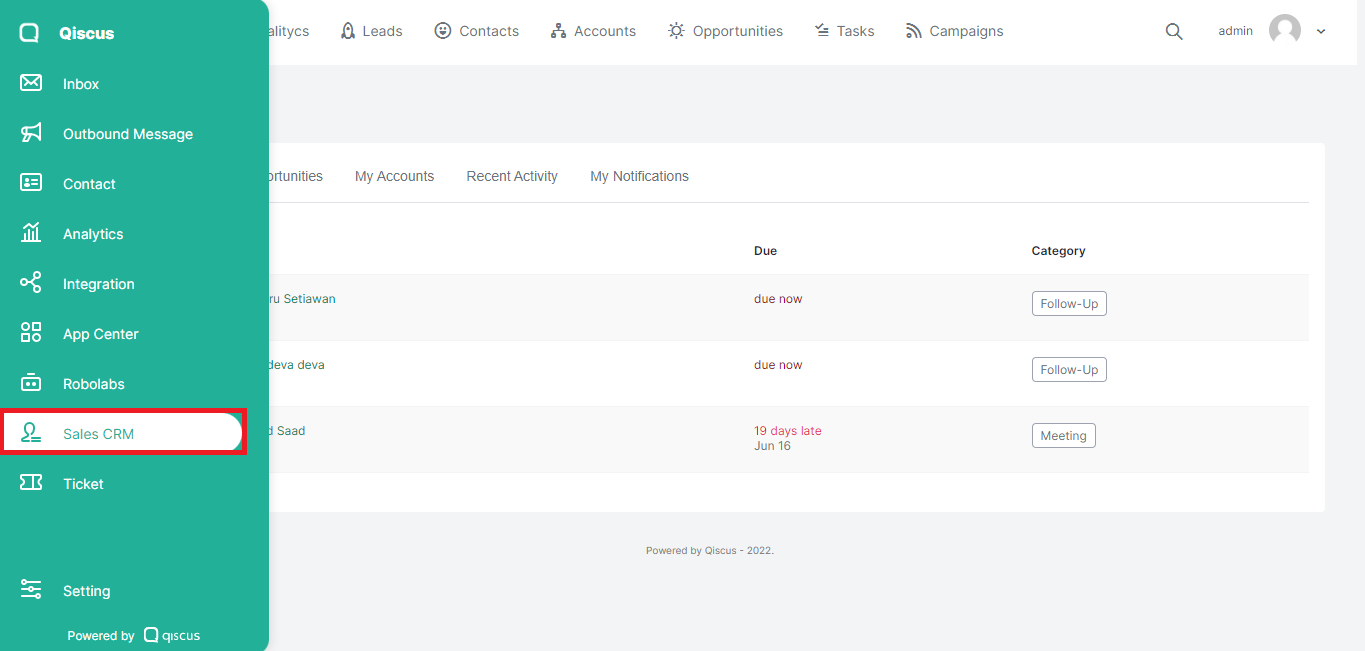
- Click the Sales CRM menu in the sidebar on the left.
- Click Analytics at the top.

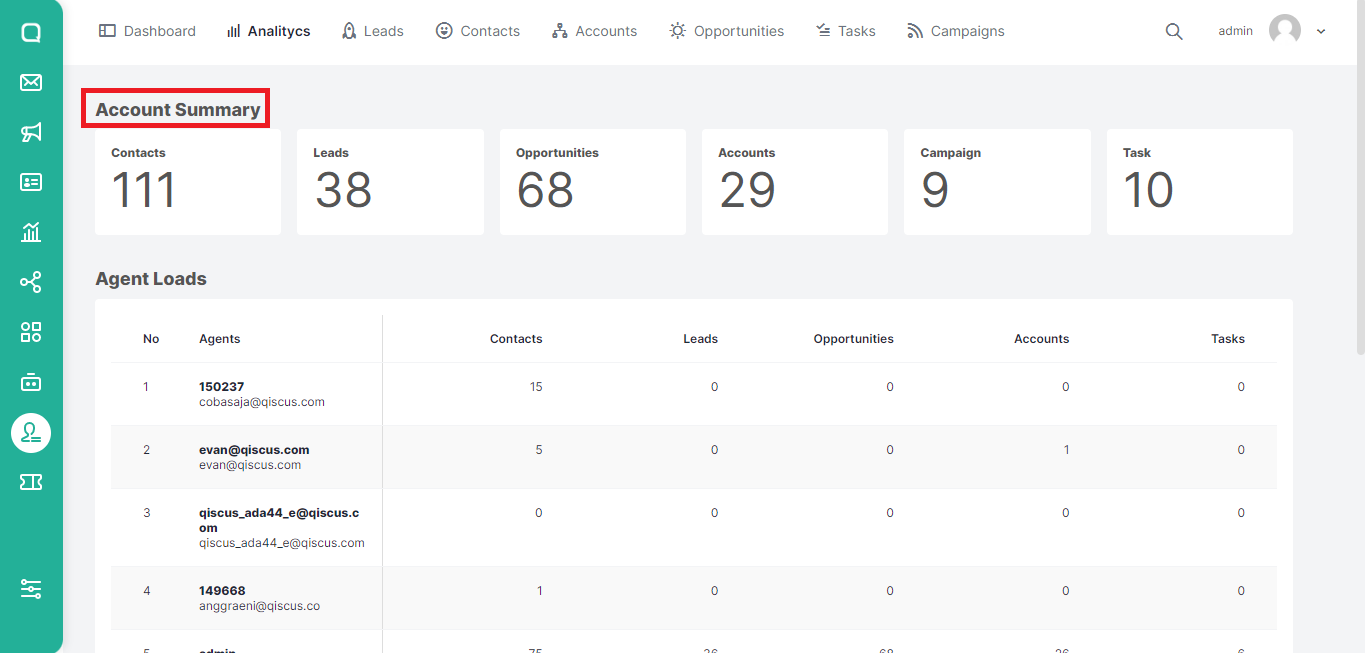
- Account Summary is a report of the total number of contacts, leads, opportunities, accounts, campaigns, and tasks owned.
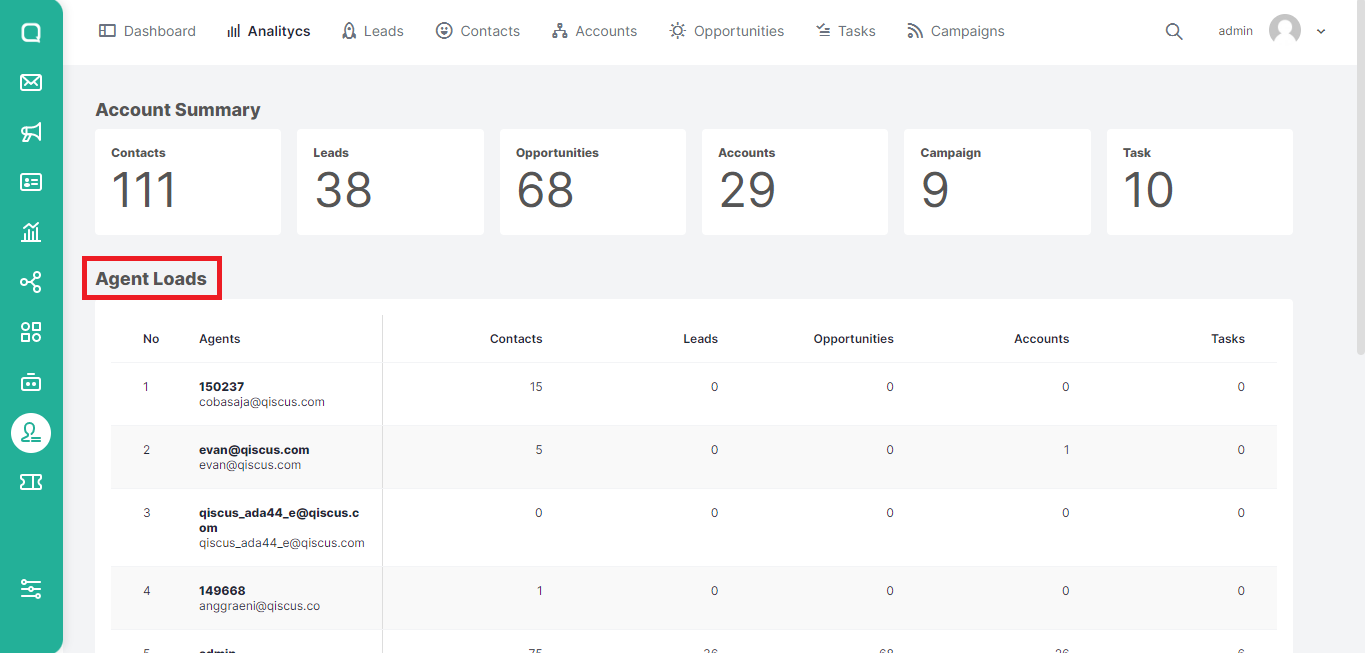
- Meanwhile, Agent Loads contains a detailed report on the number of contacts, leads, opportunities, accounts, campaigns, and tasks for each agent or team member.
Type to search, ESC to discard
Last updated on Dec 23, 2022
Was this page helpful?
Next to read:
LeadsQiscus Technology
Discard Changes
Do you want to discard your current changes and overwrite with the template?
Archive Synced Block
Message
Create new Template
What is this template's title?
Delete Template
Message