
Title
Message
Create new category
What is the title of your new category?
Edit page index title
What is the title of the page index?
Edit category
What is the new title of your category?
Edit link
What is the new title and URL of your link?
My Accounts
Copy Markdown
Open in ChatGPT
Open in Claude
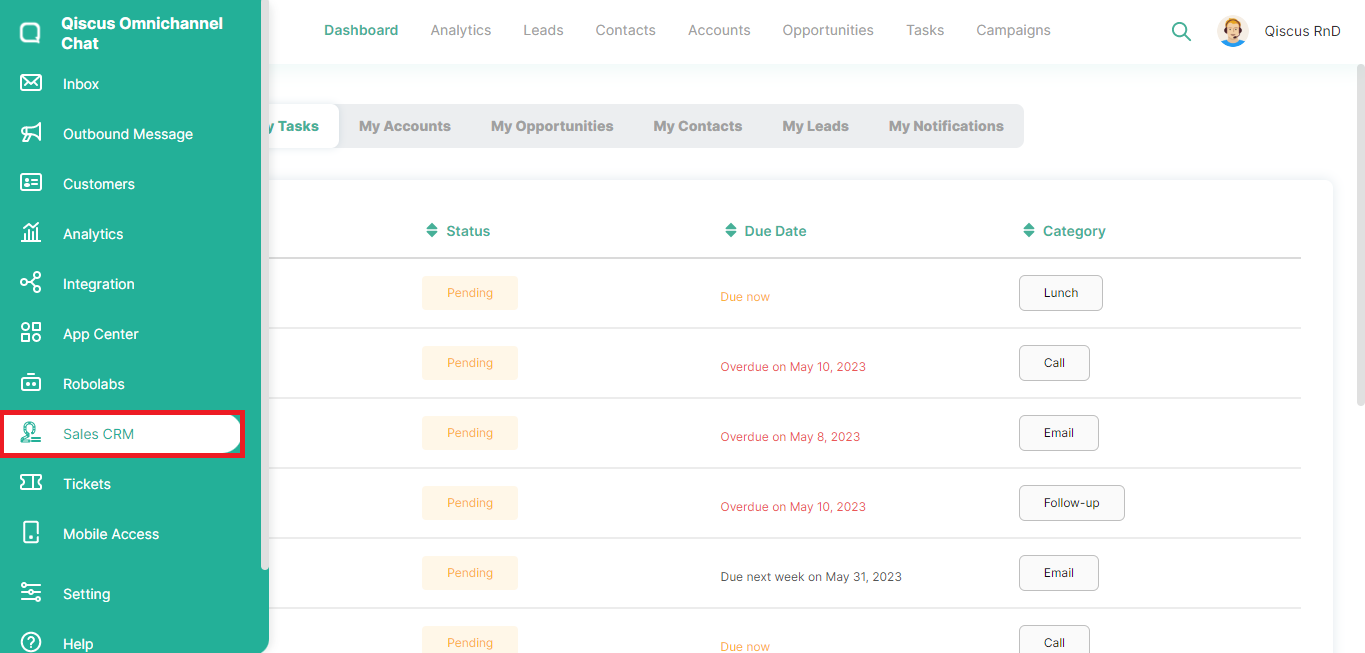
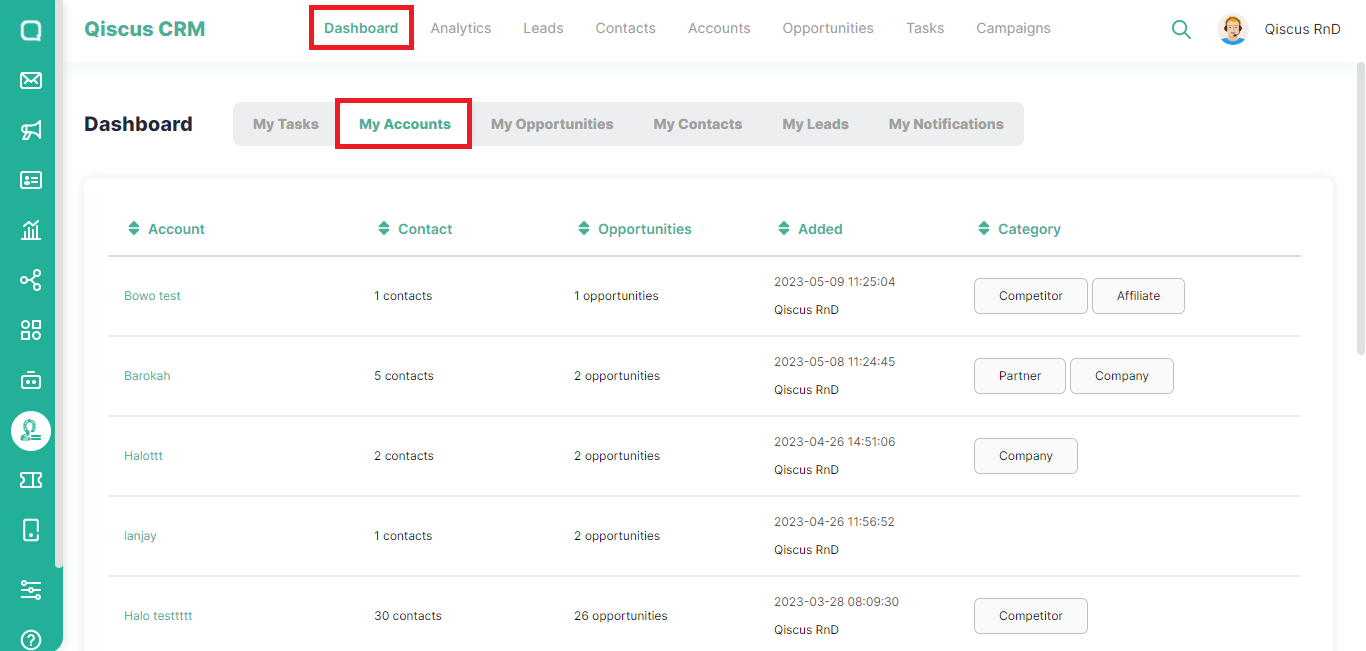
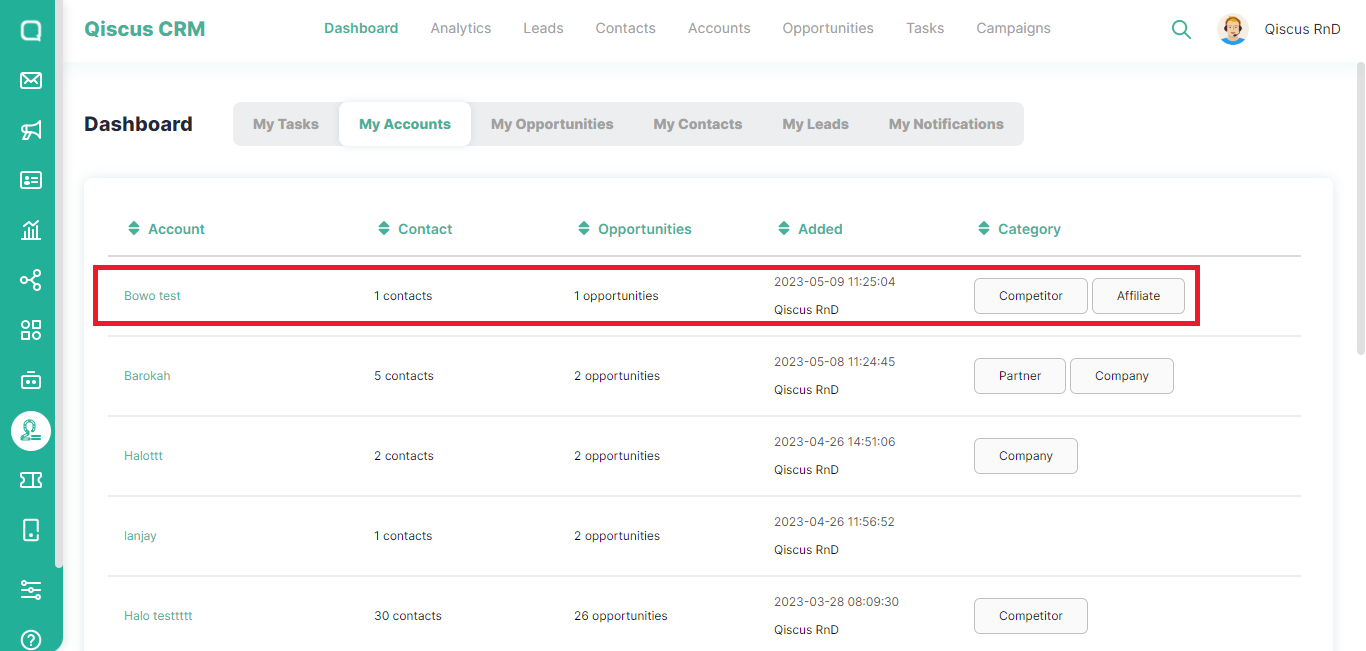
The My Accounts section includes a list of prospect companies targeted for transactions or deals. To view the list of companies on the My Accounts page, please follow these steps:
- Click the Sales CRM menu in the left sidebar,
- Click Dashboard at the top, then select My Accounts,
- You will see information about the target company such as the number of contacts the target company has, the number of possible opportunities, and also category,
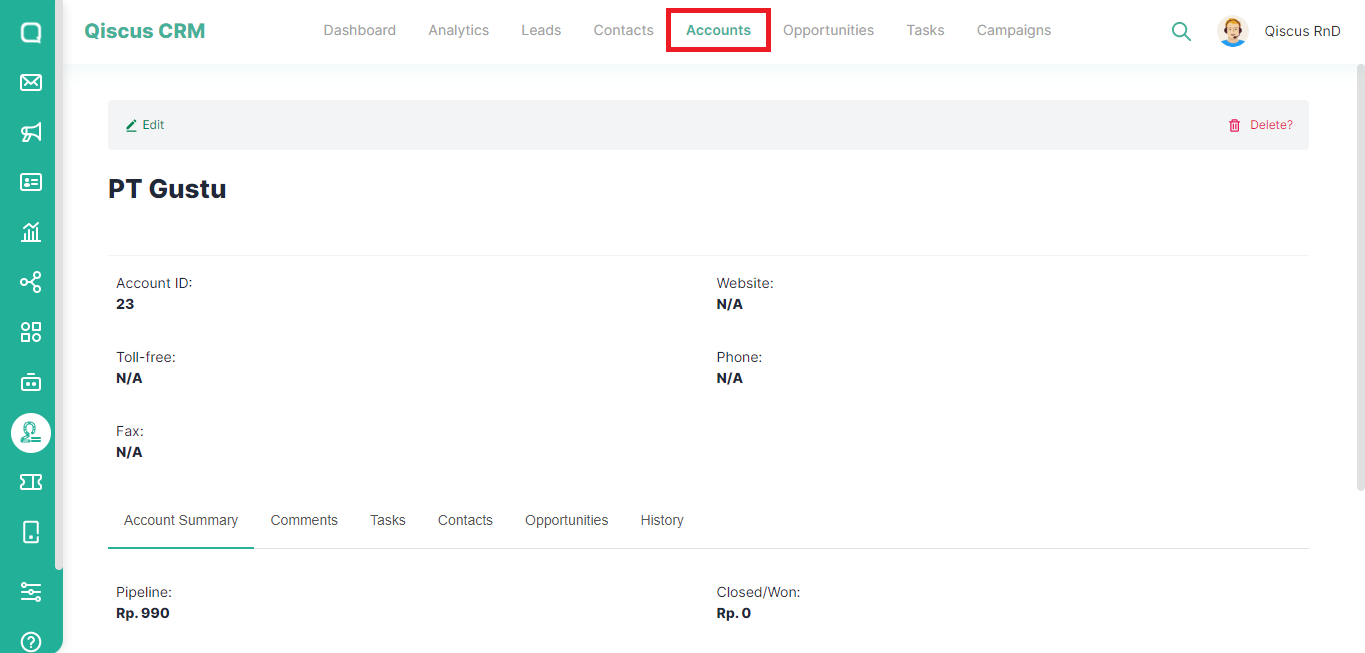
- If you click on the Account name, you will be directed to the Accounts page which contains details of the target company.
Type to search, ESC to discard
Last updated on May 24, 2023
Was this page helpful?
Next to read:
My OpportunitiesQiscus Technology
Discard Changes
Do you want to discard your current changes and overwrite with the template?
Archive Synced Block
Message
Create new Template
What is this template's title?
Delete Template
Message