
Webhooks make it super easy to build on top of Qiscus SDK. They are user-defined callbacks. They are triggered by events. When the event occurs, the webhook will make a http(s) call to the URI it’s configured to.
On Post Message
Webhooks on post message being triggered either from Qiscus Chat SDK client side or from Server API whenever send a message. This request method for this webhook is using POST.
You can setup webhook in Qiscus Dashboard. Go to Setting then add your webhook.
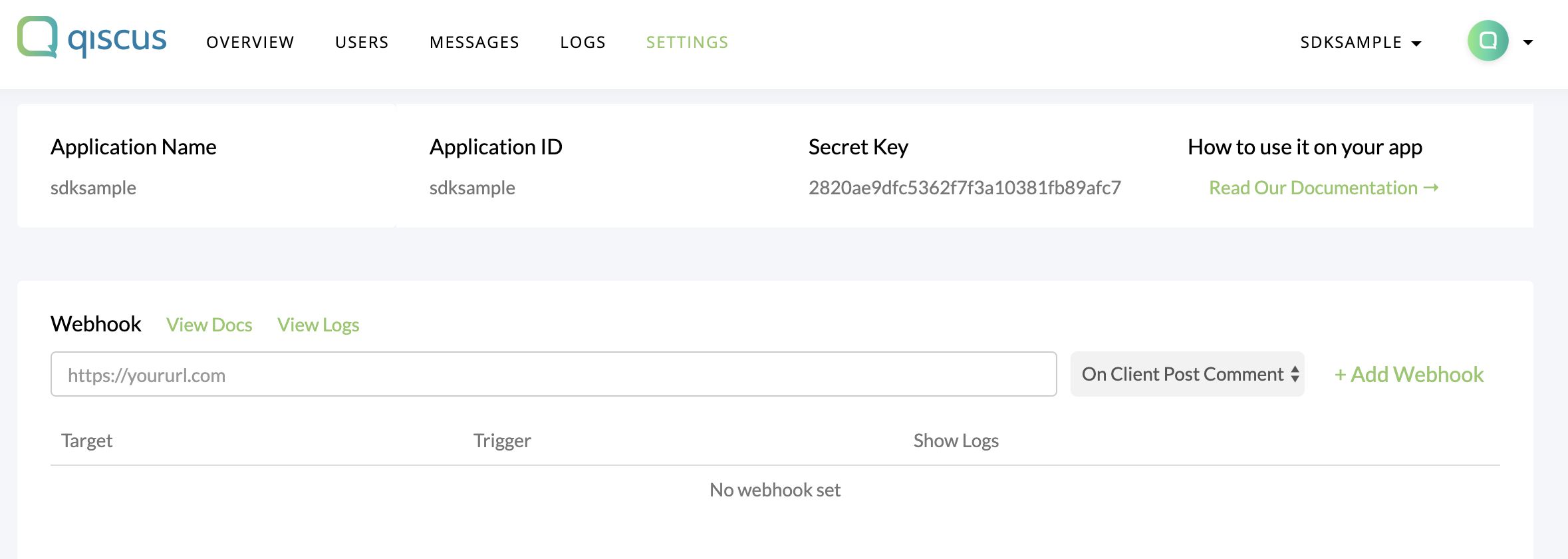
After succeed setup webhook, you receive payload below:
Payload :
{
"type": "post_comment_mobile", // either type "post_comment_mobile" if from client side or "post_comment_rest" if from REST API
"payload": {
"from": {
"id": 1,
"email": "[email protected]",
"name": "User1",
},
"room": {
"id": 1,
"topic_id": 1,
"type": "group", # can also be single
"name": "ini grup",
// deprecated for the participants data
"participants": [
{
"id": 1,
"email": "[email protected]",
"username": "User1",
"avatar_url": "http://avatar1.jpg"
},
{
"id": 2,
"email": "[email protected]",
"username": "User2",
"avatar_url": "http://avatar2.jpg"
}
]
},
"message": {
"type": "text",
"text": "ini pesan",
"payload": {
# comment type specific payload
}
}
}
}
Was this page helpful?